


Holiday office party catering: a December checklist for restaurants
Take holiday office party orders without a December scramble: a package menu, an order cap, a cutoff, a deposit and a delivery plan.

Key takeaways
- To take holiday office party orders without a December scramble, offer two or three package menus at a per-person price, with a cap per delivery window, a cutoff date and payment at booking.
- Count the trips your drivers can make in a window before you accept the next order, and stop selling that window when it is full.
- Lock the final headcount a few days before the party, so the kitchen cooks from one number.
- Keep party orders off your lunch rush with their own prep list, an earlier prep time and a delivery window outside your busiest hour.
To take holiday office party orders without a December scramble, sell two or three package menus at a per-person price, cap how many orders you accept per delivery window, set a cutoff date and collect payment when the order is booked. Set it up this month, before the first office asks for a Friday.
The food is the easy part. The trouble starts when several buyers want the same few days, the regular lunch rush keeps going, and a headcount of 30 can turn into 38 the day before.
Why is a holiday office party order different from a regular catering order?
It has a fixed date, a tight window and a buyer who is also planning the party. That buyer is usually an office manager or an executive assistant with a budget per head, a start time and a list of dietary needs.
Three things can go wrong in December: too many orders for one window, a headcount that moves after you have bought the food, and a big party order that lands in the middle of your lunch rush. The rest of this guide fixes each one before it happens.
What should a holiday party package include?
Two or three packages, each with a per-person price, a minimum headcount and a short list of choices. A short menu is easier for a buyer to approve and easier for your kitchen to repeat a dozen times in one day.
| Decide | What to put on the page |
|---|---|
| Size | A minimum headcount, such as 10 or 15 people, and a maximum you can fill |
| Choices | A few mains, sides and one dessert, picked once for the whole group |
| Price | The per-person price, and the total for the headcount the buyer enters |
| Service pieces | Plates, napkins, utensils and serving tools, listed as included or priced |
| Dietary options | Vegetarian, vegan and gluten-free tags on each item, and a box for allergy notes |
Keep the holiday packages in their own section of your catering page. They can come off the page the day after the last cutoff, and your regular catering menu stays as it was. If your page does not show per-person prices yet, start with how to get corporate catering orders, which covers what an office buyer wants to see first.
Our take: put the plates, napkins and serving tools inside the package price, and say so on the page. The buyer is comparing totals, and a separate line for forks sends them to the next restaurant.
How many orders should you accept for each delivery window?
Only as many as your kitchen can pack and your drivers can reach, and the page should stop selling a window when it is full. The cap is a number you set for each window before the orders arrive.
Here is an example with made-up numbers, so use your own. A delivery window runs from 11:00 a.m. to 12:30 p.m., and one round trip takes a driver about 40 minutes. One driver can cover two drops in that window, and two drivers can cover four. Now check the kitchen: if it can pack out three party orders before 10:30, the cap is three. The smaller number wins.
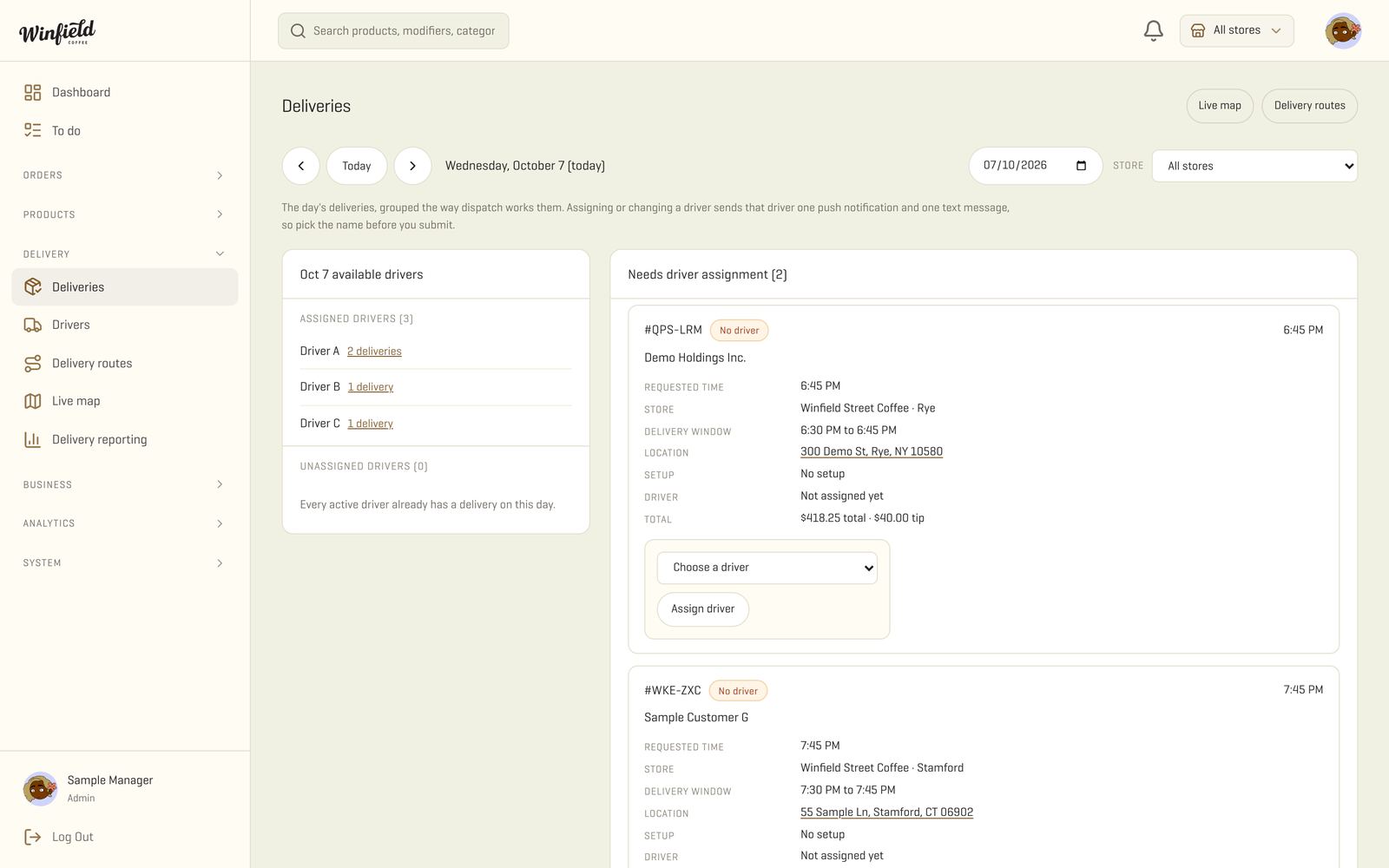
A screen like this is what a manager needs on a busy Friday. It shows the day’s deliveries by window, which drivers are free and which orders still have no driver. For the same count on pickup orders, see our guide to Thanksgiving pre-orders. To weigh your own drivers against an on-demand service for the busiest days, read own drivers or on-demand delivery.
When should you stop taking holiday orders?
Set one cutoff for each party week, a few days before the day you place your last supplier order. After the cutoff, a late request goes to a manager, who decides if the kitchen has room. That keeps one person at the counter from promising what the kitchen can’t make.
Here is a sample plan for 2026, built backward from the week of December 14. Move the dates to fit your own supplier schedule.
| Date | What happens |
|---|---|
| Fri, Nov 13 to Fri, Nov 20 | Write the packages, set the caps and the cutoff, and put the page live |
| Mon, Nov 30 | Send a short note to the offices near you, now that Thanksgiving is over |
| Fri, Dec 4 | Cutoff for parties held the week of Dec 14 |
| Tue, Dec 8 | Place the supplier order for that week |
| Mon, Dec 14 to Fri, Dec 18 | Prep, deliver and check each order against its list |
Christmas Day falls on a Friday this year. Mark every day your stores are closed on the ordering page, so no buyer picks a date you can’t serve.
How much should you ask for at booking, and what if the headcount changes?
Ask for payment when the order is booked, and give the buyer a clear window to cancel for free. A date held without payment costs you the food and the labor if the party is called off.
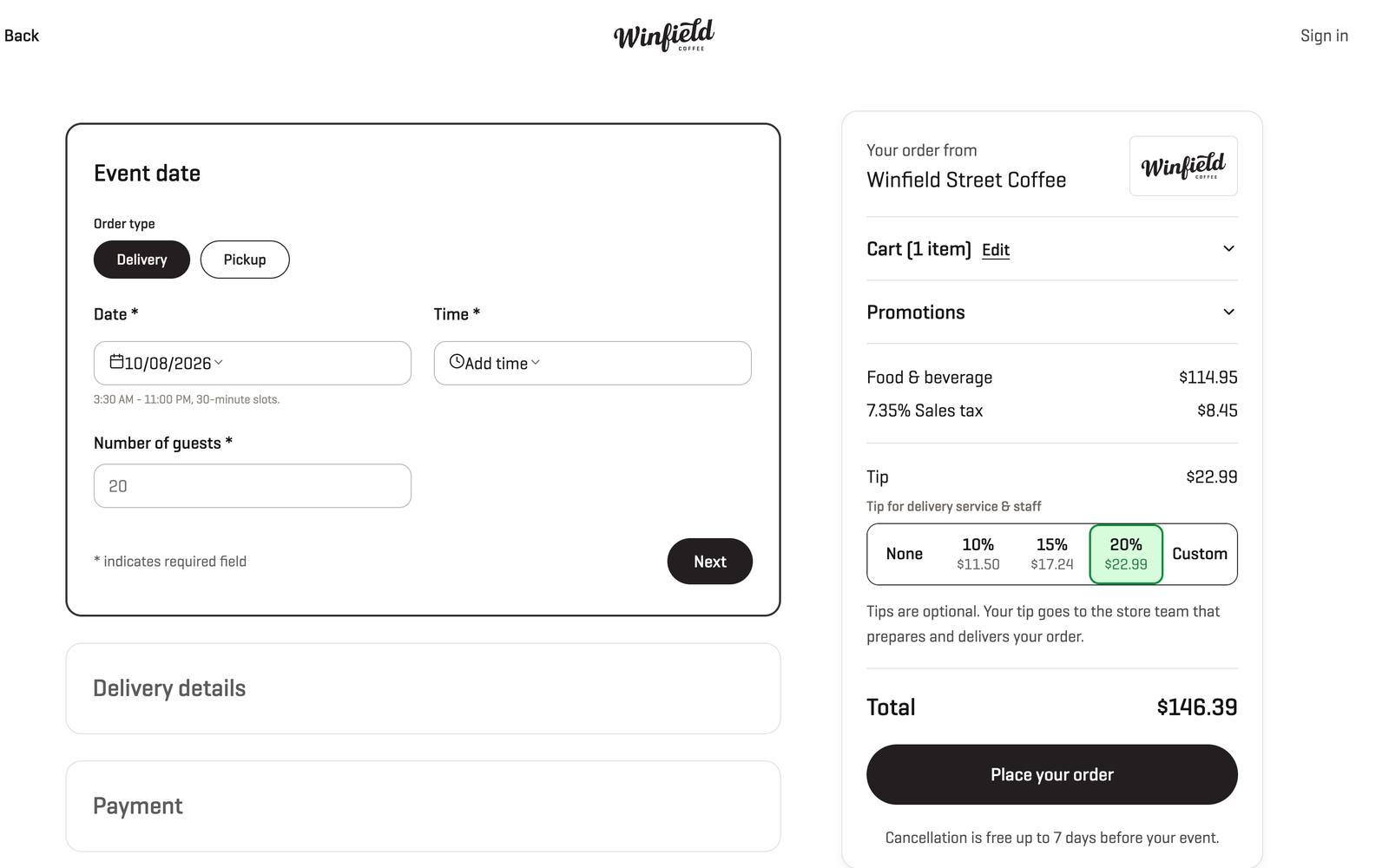
The cancellation window in this sample is 7 days. Set yours from what a cancelled order costs you in food already bought and staff already scheduled. We don’t quote a standard deposit percentage, because we found no public benchmark we could cite. Use your own costs.
For headcount, pick a lock date a few days before the party. Before it, the buyer can change the number freely. After it, the count can go up if the kitchen has room, and it stays put if it would go down, since the food is already bought.
Offices that pay by invoice or purchase order need an extra step at checkout. That part is in our guide to corporate catering orders, invoices and PO numbers.
How do you keep party orders from hurting the lunch rush?
Give party orders their own prep list, an earlier prep time and a delivery window that stays out of your busiest hour. Large orders and regular takeout can share a kitchen when they don’t share a list.
- Prep what holds up the day before, and the rest early on the morning of, before the rush begins.
- Keep catering on its own list, sorted by delivery time, so a big order doesn’t hide among takeout tickets.
- Set the earliest and the latest delivery time, so pack-out ends before lunch starts.
- Cap party orders per day separately from your takeout volume.
What should the delivery day plan cover?
Everything the person at the office would otherwise have to call you about. A short list does it:
- The buyer’s on-site contact and phone number, plus where to park, where to unload and which floor.
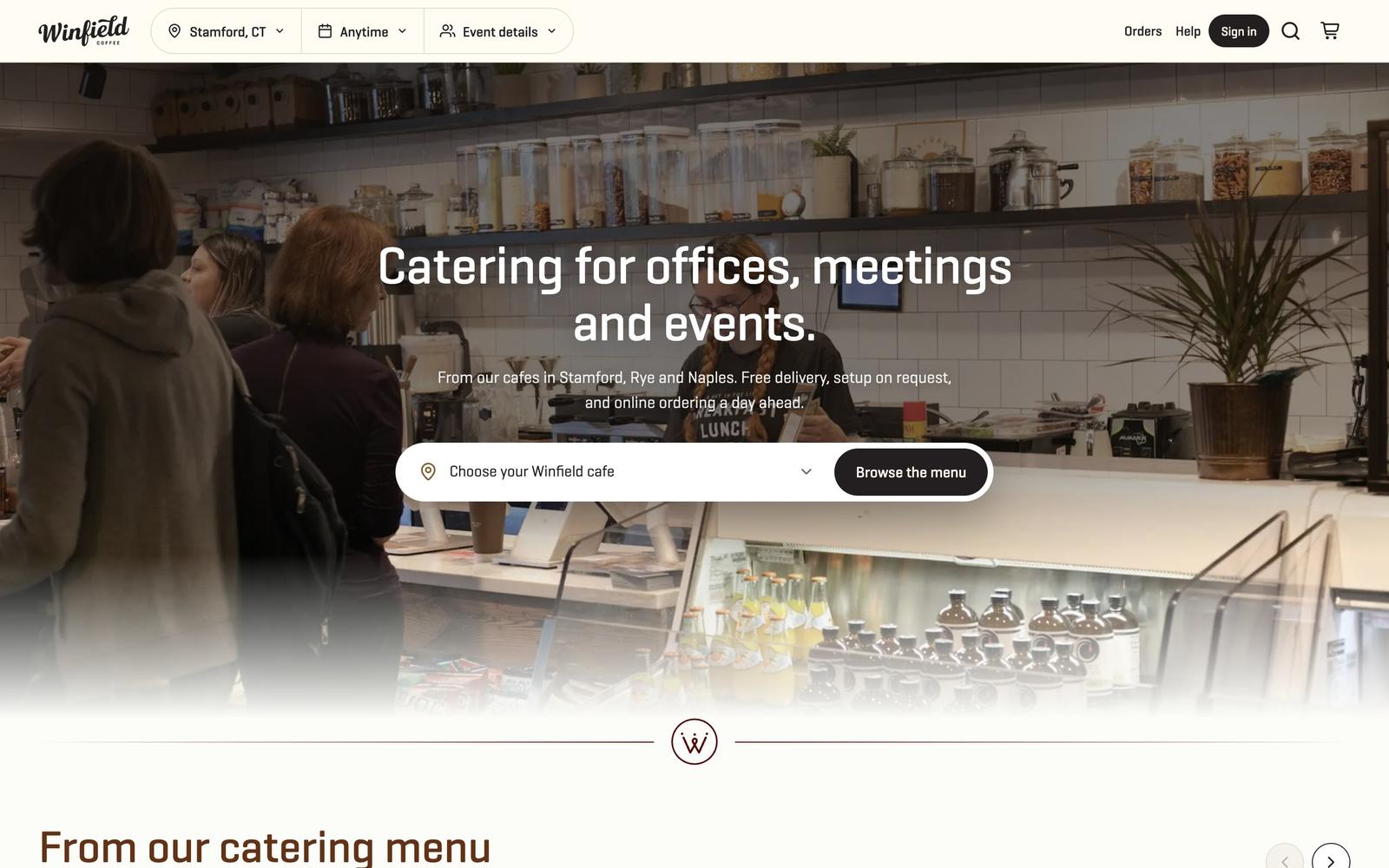
- Every item checked against the order before the car leaves: trays, serving tools, plates, utensils and napkins. In the driver app we built for Winfield Street Coffee, the driver marks each item as loaded and photographs the loaded car before the trip starts.
- A label on every tray with the name of the dish and its dietary tag, so guests don’t have to ask.
- A short drop-off window, and a message to the buyer when the driver is close.
What can you do this week?
- Write two or three package menus with a per-person price, a minimum headcount and the service pieces included.
- Set a cap for each delivery window from the number of drivers and the time the kitchen needs to pack out.
- Pick a cutoff for each party week and the day you place your last supplier order.
- Add payment at booking, a free-cancellation window and a headcount lock date.
- Mark the days you are closed on the ordering page.
- After Thanksgiving, send a short note to the offices near you, with the one-page package menu and how to order.
Our take: put the rules on the page, so nobody has to remember them
The cap, the cutoff, the deposit and the headcount lock all work better when the ordering page enforces them than when whoever answers the phone remembers them. A buyer picking a Friday should see that the Friday is full, and the manager should see the same count.
We built a catering ordering site for Winfield Street Coffee that asks for the event date and the guest count at checkout, shows the cancellation window and sends each card payment to the Clover of the store that makes the order. Its dashboard lists the day’s deliveries and who still needs a driver, for direct orders and for ezCater orders, since we work with ezCater’s API. The system is built for the owner to keep, with no per-order fees. Read the Winfield Street Coffee case, see the full ordering system or look at how a catering ordering system is set up.
If you want to run this holiday season on what you have today, a simple form and one spreadsheet sorted by delivery time are enough for this year. A new system started now may not be live before the December parties, since ours go live in up to 30 days.
Frequently asked questions
What should an office holiday party package include besides the food?
Plates, napkins, utensils and serving tools, listed as included or priced, plus a dietary label on each item and a box for allergy notes. Say on the page what is included, so the buyer can compare totals.
Should I take a deposit for an office holiday party order?
Yes, take payment when the order is booked. A date held without payment costs you food and labor if the party is cancelled. Choose the amount and the free-cancellation window from your own costs.
What if the headcount changes after the order is placed?
Set a lock date a few days before the party. Before it, the buyer can change the count freely. After it, the count can go up if the kitchen has room, and it stays put if it would go down.
Can I take party orders and still run my regular lunch rush?
Yes, if party orders have their own prep list, an earlier prep time and a cap per delivery window that keeps pack-out away from your busiest hour.
Comments