



Proof of delivery for restaurants: item check, car photo and signature
Proof of delivery settles a missing-order claim fast. The three moments to record, what each answers, and a setup that works with or without an app.
Key takeaways
- Proof of delivery is the record a driver makes of what left the restaurant and what reached the customer.
- Record three moments: an item check and a loaded-car photo before the trip, a photo and signature at the door, and a record kept with the order.
- A photo left on a driver's phone is not a record. The proof has to live with the order, where whoever answers the call can open it.
- Start with the loaded-car photo on catering orders, where one missing tray costs the most.
Proof of delivery is the record a driver makes of what left the restaurant and what reached the customer. It covers three moments: before the trip, at the door and after. Together they give you an answer when a customer says something is missing or never arrived.
Why does a restaurant need proof of delivery?
Without a record, a delivery problem is one person’s word against another’s. The customer says the tray never came. The driver says it did. Nobody else was there, so the easy way to end the call is to refund or remake the order.
Catering raises the cost of that call. The order is bigger, the person who ordered is often not the person who receives it, and the event does not wait for an investigation. A record taken at each step lets you answer with facts, and it shows you which step to fix.
What are the three moments to record?
Record the trip before it starts, at the door and afterward. Each moment answers a different complaint.
| Moment | What the driver captures | The complaint it answers |
|---|---|---|
| Before the car leaves | Every item ticked off the order, and a photo of the loaded car | “A tray is missing.” “There were no utensils.” |
| At the door | A photo of where the order was left or handed over, and a signature from whoever received it | “It never arrived.” “It was left at the wrong door.” |
| After the trip | The time of each step, saved with the order | “It came late.” “Who delivered it?” |
What should the driver check before the car leaves?
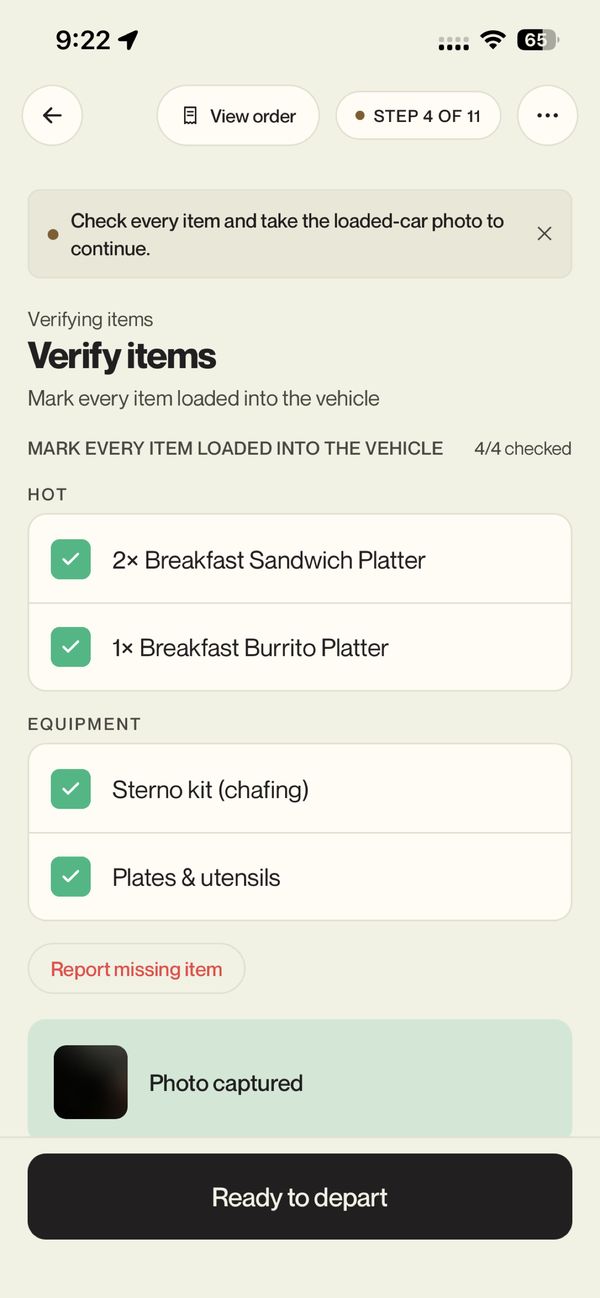
The driver should tick every item against the order, then take one photo of the loaded car. The photo shows what left the store, and the checklist shows what was supposed to leave.
Count the trays by name first. Then check the small items, because nobody lists them and everyone notices when they are gone: utensils, napkins, serving spoons, sauce cups, a chafing kit. A way to report a missing item belongs on the same screen, so a gap gets reported before the trip starts and not at the door.
What should the driver capture at the door?
The driver should photograph where the order ended up and get a signature from the person who took it. The photo shows the place. The signature shows who accepted it.
Use both when someone is there to sign. When nobody is, take the photo and add a short note, such as “left with the front desk” or “left at the loading dock.” Photograph the food and the spot, not people. A tray on a reception counter proves the delivery without putting anyone’s face in your records.
Where does the proof have to live?
It has to live with the order, where whoever answers the phone can open it by order number. A photo in a driver’s camera roll is not a record. It disappears when the driver changes phones, and nobody else can find it.
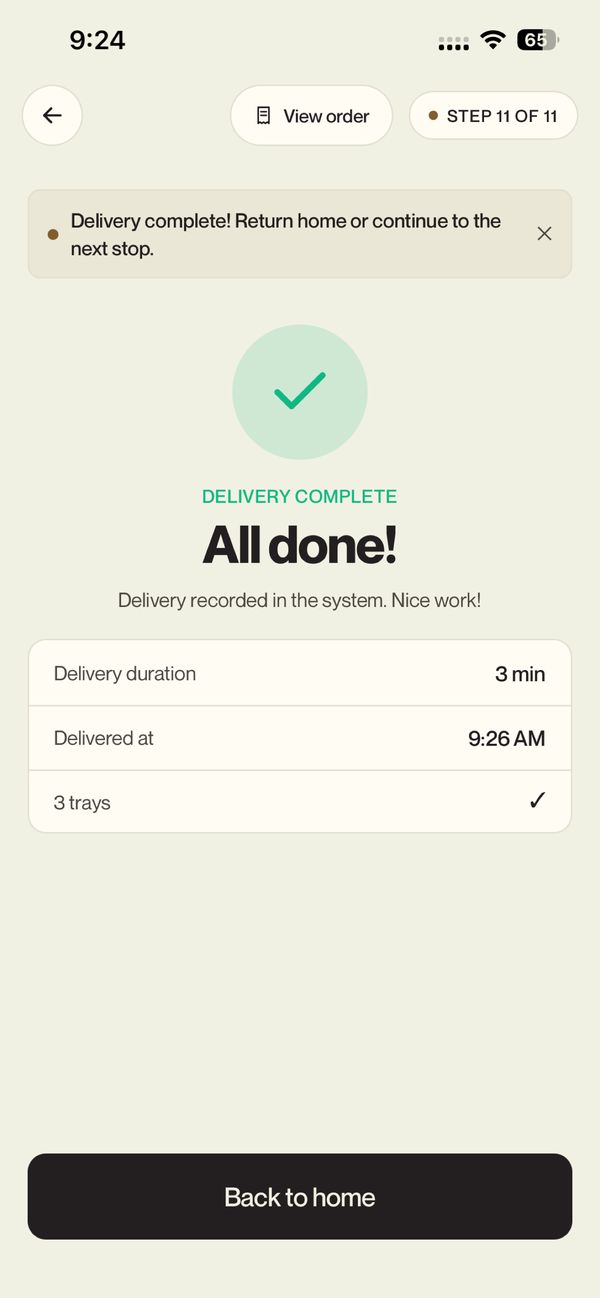
Each step should also carry a time. Departure and delivery times settle “it came late” as clearly as the photo settles “it never arrived.” The completion screen in our driver app, for example, shows the time delivered, how long the trip took and the trays checked.
Can you do this without a driver app?
Yes, with a printed checklist and phone photos, as long as one person owns the routine. Print the order with a box beside each item. Have the driver photograph the loaded car and the drop-off, and send both to one shared album named by order number the same day.
The weak point is discipline. Nothing stops a driver from skipping a step on a busy day, and the photos still start on personal phones.
| Paper and phone | Driver app | |
|---|---|---|
| Item check | A printed list the driver can skip | A step the app can require |
| Photos | Taken on the driver’s own phone, then shared | Saved with the order when taken |
| Finding proof later | Search an album by order number | Open the order |
| Cost to start | A printer and a rule | A system to set up |
If you run a few catering deliveries a week, paper and phone is a fair place to start. Move to an app when the album gets hard to keep up.
What do you do when a customer says it never arrived?
Open the order and look at the record before you answer. Then work through four steps:
- Check the door photo and the signature. Do they show the right address and a person who took the order?
- Reply with the photo and the delivery time, and offer to help. Share it to help find the order. Do not use it to win the argument.
- If the photo shows the wrong spot, fix the address or the drop-off note on the customer’s account, and make it right with a replacement or a refund.
- If something was missing, open the loaded-car photo and the item list. They show whether it left the store.
Write down what happened so the next driver sees it. The record tells you what to change, and that is worth more than the single claim.
How does proof of delivery fit with live tracking and marketplace orders?
Tracking tells the customer where the driver is now. Proof tells you what happened at the end. Both come from the same driver steps, so a system that records one can show the other. Our guide to tracking links for customers covers the first half.
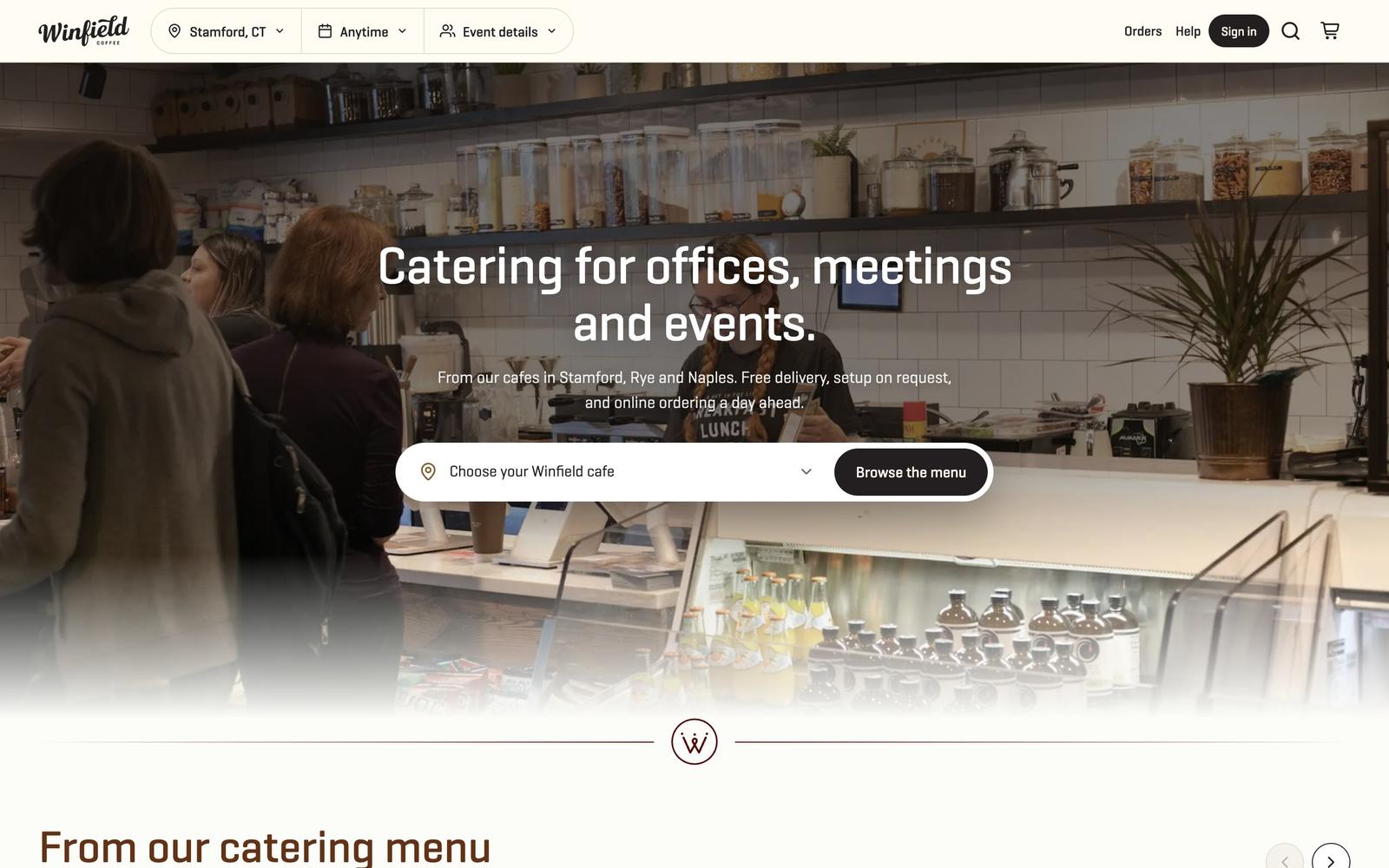
If you also take marketplace orders, check what that marketplace needs from you on delivery status. In the system we built for Winfield Street Coffee, the driver’s progress on an ezCater order goes back to ezCater too.
What does our driver app record?
The driver app we built for Winfield Street Coffee, in use by Winfield delivery drivers since September, follows the three moments above:
- The driver ticks every item and photographs the loaded car before leaving.
- Each drop-off closes with a photo and a signature.
- The record sits in the system with the order, and the customer follows the driver on a live map.
You can see how the pieces fit on our driver app page.
Where should you start?
Our take: begin with one habit and add the system later. On catering orders, photograph the loaded car before every trip. It costs seconds, and it settles the missing-item question the same day.
Then add the door photo, then one place where photos live by order number. If the routine holds for a month, look at an app that makes the steps hard to skip. Our guide to running your own drivers covers the cost side of that choice. December puts many catering deliveries into the same few days, and the holiday office party checklist lists what to confirm before each one.
Frequently asked questions
Do I need a signature on every delivery?
No. When nobody is there to sign, a photo of the drop-off with a time on it covers the delivery. Ask for a signature when someone receives the order in person, because it shows who accepted it. If a contract or your insurer requires one, follow that.
Is a photo of the loaded car really necessary?
It is the proof of what left the store. Without it, a missing tray turns into a disagreement about whether it was packed. One photo before the trip settles that.
Can drivers use their own phones for the photos?
Yes, but the photos then live on personal phones. If you start that way, move them to one shared place by order number the same day, so the manager can find them later.
Does proof of delivery apply to pickup orders?
The equivalent is a quick check of the bag against the order at the counter, with the customer there to confirm. A door photo is not needed.

Comments