


How much should a restaurant charge for delivery? A simple way to set the fee
Set a restaurant delivery fee that covers your cost, keeps the order, and doesn't scare the customer. A simple formula and a worked example.


Key takeaways
- Start from what one delivery actually costs you, add a small margin, and work backward to the fee. Do not copy a round number from a competitor.
- A flat fee just below your break-even on an average order, a minimum order to protect the small tickets, and a higher fee by zone for the long runs covers most restaurants.
- Review the fee every quarter. Driver pay, gas, insurance and tip behavior drift, and a fee set a year ago is already wrong.
A restaurant delivery fee should cover what one delivery costs you, plus a small margin, and sit just below what the customer expects to pay for the convenience. For most independent restaurants in the US, that lands between $3 and $7 flat on a short run, higher by zone for the long ones, with a minimum order to protect the smallest tickets.
Set it any other way and one of two things happens. You charge too little and every delivery erodes the ticket. You charge too much and the customer orders through an app that packages the fee inside a bigger total.
What one delivery actually costs you
The honest first step is to count the real cost of a single delivery, not an average “cost of goods” line in the P&L. There are three common lanes, and each has its own number.
An own driver on your payroll costs you an hour, not a trip. If a driver makes $20 per hour loaded with mileage, insurance and employer taxes, a slow lunch with two deliveries per hour comes out to about $10 per order. A busy Friday night with four comes down to $5. The fee has to cover the slow hour too, not just the busy one.
An on-demand driver sits on top of your order. DoorDash Drive and Uber Direct let a restaurant hand off a single order from its own site to a third-party fleet, with a flat per-delivery fee. DoorDash lists Drive as a flat $6.99 to $10.99 per order on its merchant pricing page, read on October 16, 2026. The customer still orders on your site, pays you, and the driver carries your bag with your name on it. The number you pay for that run is known the second the order is placed.
A marketplace delivery is a different animal and does not belong in this calculation. On DoorDash, the Marketplace plans are 15% commission on Basic, 25% on Plus and 30% on Premier, with 6% on pickup, read on the same page. That is the price of the sale and the customer, not of the trip. We walked through that math in own drivers or on-demand delivery.
For the fee you charge the customer, your number is the cost of the lane you are using for that order.
Three ways restaurants set the fee today
Most restaurants pick one of three approaches, often without naming it:
- Copy the neighbor. Walk the street, check two menus, round the number up a dollar. Fast. It also hides whether you are making or losing money on each run.
- Match the delivery app. Set your fee at what DoorDash or Uber Eats shows on their listing. This feels fair to the customer. The problem is that the fee the customer sees on the app has markup baked into the menu, which you do not have on your own site.
- Cost plus a small margin. Start from your real per-delivery cost and add a modest margin. Harder to do once, easier to defend the rest of the year.
The third one is the only one that survives a bad month.
A simple formula that works
A fee that covers the trip without scaring the customer tends to follow this shape:
Delivery fee = per-delivery cost + a $1 to $2 margin, rounded to the nearest 50 cents.
With a minimum order a bit under the average ticket, and a zone surcharge for anything beyond the easy radius.
A worked example on a short-run order:
| Line | Amount |
|---|---|
| Average per-delivery cost (own driver, 3 per hour) | $6.67 |
| Margin | $1.33 |
| Delivery fee | $8.00 |
| Minimum order | $18 |
And the same restaurant handing a far order to DoorDash Drive at the top of the range:
| Line | Amount |
|---|---|
| Per-delivery cost (on-demand, 3-mile zone) | $10.99 |
| Margin | $1.01 |
| Delivery fee for that zone | $12.00 |
| Minimum order for that zone | $25 |
Those numbers are an example, not a benchmark. Yours will shift with driver pay, with the city, with the time of day. The point is that each number has a source: the fee is not a round guess, it is the trip plus a margin.
Minimum order, zones and the “free over X” line
Three dials sit next to the fee and quietly do more work than the fee itself.
The minimum order keeps the smallest tickets off the road. A $9 order with an $8 delivery cost is a loss even when the customer pays an $8 fee: the kitchen time, the packaging and the credit card fee are still on you. A minimum set at a few dollars under the average ticket pushes most of those orders back onto pickup or in-store.
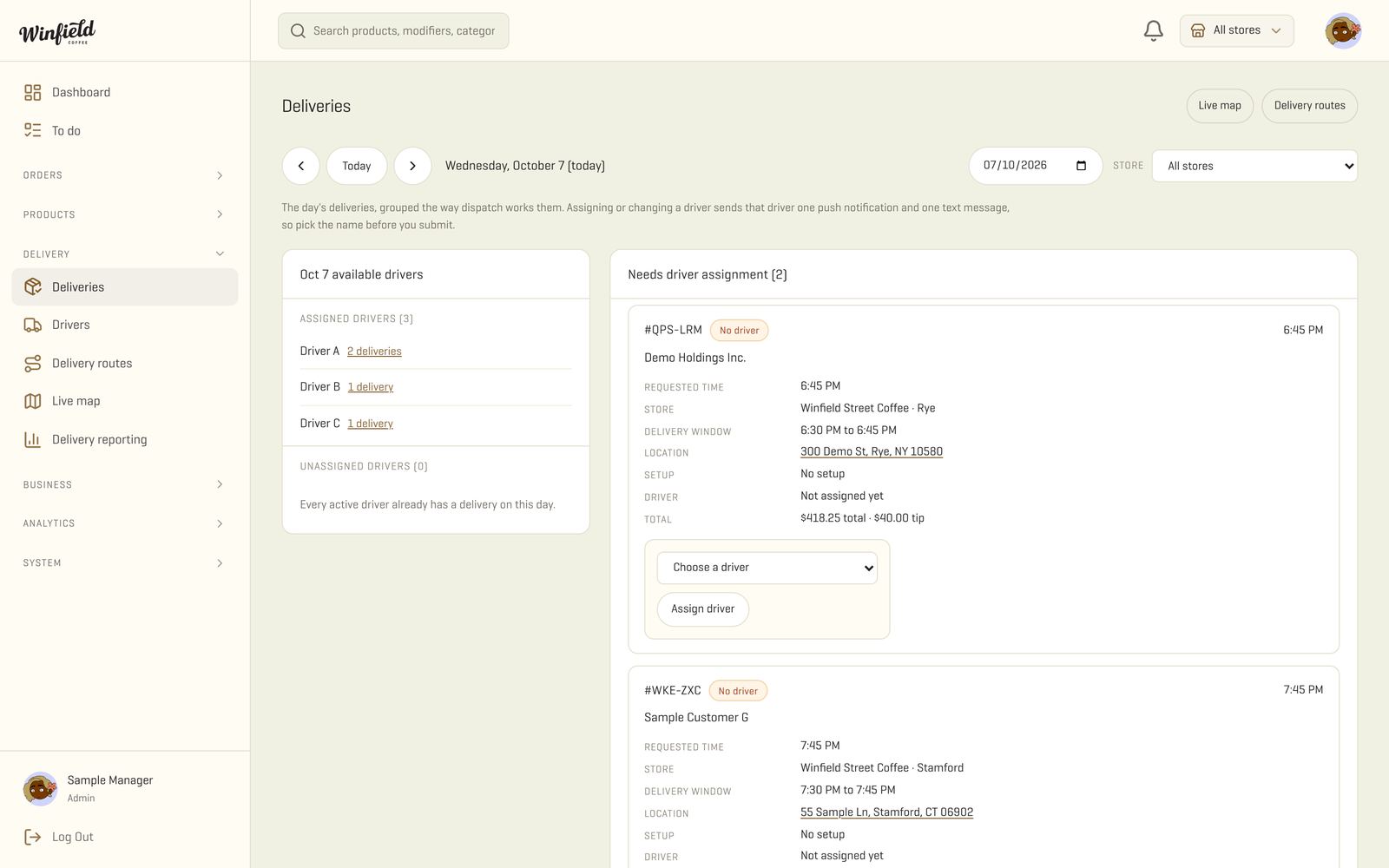
Zones charge different fees for different distances. A ring of a mile or two around the kitchen gets the base fee. The next ring pays more. Past the last ring, the order either routes to on-demand or stops at your door. On our dashboard, the manager draws the zones on a map, and the ordering site refuses an address outside the farthest ring.
The free-over-X threshold is a nudge, not a gift. Set it around twice your delivery cost on an average order, and a customer who is a few dollars short tends to add one more item. Our take: the threshold is the strongest tool in the whole stack, because it changes the ticket, not the margin.
How to test it without losing customers
A fee change does not need a big launch. It needs two weeks and a before and after.
- Measure first. For the current week, count orders by zone, average ticket, delivery costs paid, and tips. That is your baseline.
- Change one thing. Raise the fee by $1, or add a zone surcharge, or lift the minimum order. One lever at a time, so you know what moved.
- Watch cancellations and the second order. A fee that is too high shows up as checkout drops and fewer repeat orders from the same customer, not as angry calls.
- Keep what works, back out what doesn’t. Review after two weeks. If orders are flat and margin is up, keep it. If orders drop and margin is flat, back out.
Our take: owners rarely regret raising the delivery fee. They regret setting it years ago and never looking at it again.
What to put on your ordering site
A delivery fee lands better when the customer can see where it comes from. On your own site, the checkout can show the fee in plain language, the minimum, the zone the address falls in and the arrival window. A couple of practical choices that pay off:
- Show the fee next to the subtotal, not buried in the final total. Customers hate a surprise more than a fee.
- Explain the zones in a short line on the delivery page (“Addresses within 2 miles: $8. Beyond 2 miles: $12. Beyond 5 miles: pickup only.”).
- Let customers pick a time window instead of asap. A one-hour window gives dispatch room to batch two orders on the same run, which lowers your real cost and lets you keep the fee flat.
- If the order has to go to an on-demand service, keep the fee the same on the receipt. The customer trusts the number on the menu, not the one on the app.
Running your own drivers with your own app, with a live map for the manager and a tracking link for the customer, is what makes those choices real. The whole setup is in our driver app and live map.
FAQ
Frequently asked questions
Should delivery be free over a certain order size?
Yes, if the math holds. A free-over threshold around twice your average delivery cost pushes customers to add one more item and still leaves you a margin. Below that, you pay for the delivery out of pocket.
Can I charge a percentage of the order instead of a flat fee?
You can, and it is fairer on big orders, but customers read a flat fee faster. A hybrid works well: a flat base and a small per-mile add-on for the far zones.
Does the delivery fee count as taxable sales?
In many states, yes. Rules vary by state and by whether the fee is itemized. Check with your accountant before you set it up in the register.
What if my competitor charges less than my cost?
Match the service, not the number. A fee that loses money on every order is a problem that scales. Compete on speed, packaging and the hot food arriving hot.
Sources
- DoorDash, Marketplace plans and pricing · Oct 16, 2026
- DoorDash Drive, on-demand delivery for your own channels · Oct 16, 2026
- RestoLabs, DoorDash fees for restaurants guide · Jul 27, 2026


Comments