


Where's my order? What a delivery tracking link should show catering customers
A tracking link answers the where's-my-order call before the phone rings. Here is what to show a catering buyer, from confirmation to the door.

Key takeaways
- A delivery tracking link answers the where's-my-order call before the buyer picks up the phone.
- Show plain-language stages and an arrival window instead of a single minute, with a person to call on the same page.
- Start the tracking at confirmation, because a catering buyer begins to worry well before the driver leaves.
A delivery tracking link is a page that shows a customer where an order is and when it will arrive, so nobody has to call the restaurant. For catering, it should show confirmation, driver assigned, pickup at the store, an arrival window and delivered, plus a number to call.
The call tends to come at the worst time: the driver is on the road, the kitchen is packing the next order and whoever answers the phone cannot see the car.
Why does a catering order need a tracking link?
The person who orders catering is rarely the person eating it. An office manager books lunch for 20, and at 11:45 the room asks them where it is. They need an answer they can give in ten seconds.
A late tray for a meeting cannot be fixed with a refund. The meeting starts either way, so the buyer will check on the order, and the only question is whether they check on a page or on your phone.
What should a catering tracking page show?
It should answer the six questions a buyer asks, in the order they ask them. Each answer is a short label.
| What the buyer is asking | What the page shows |
|---|---|
| Did the restaurant get my order? | “Confirmed by the store,” with the time |
| Does someone own the delivery? | “Driver assigned” |
| Is the food loaded? | “Driver at the store,” then “On the way to you” |
| When will it get here? | An arrival window, such as 8:15 to 8:30 AM |
| Did it arrive? | “Arrived at your address,” then “Delivered,” with the time |
| Who do I call if something looks wrong? | A phone number or email on the same page |
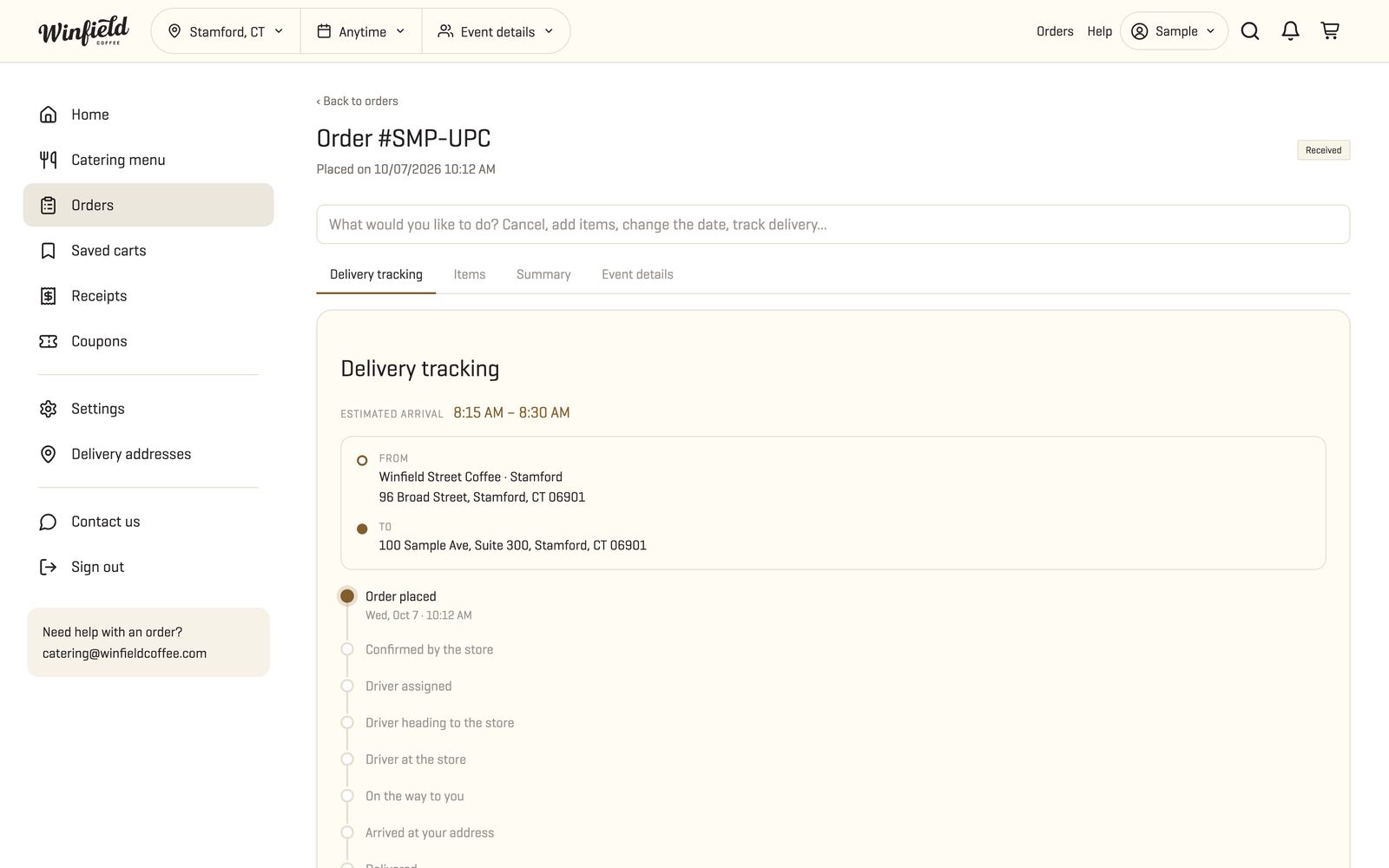
The timeline in the screen runs from Order placed through Confirmed by the store, Driver assigned, Driver heading to the store, Driver at the store, On the way to you and Arrived at your address, and ends at Delivered. Each label says what happened in words a buyer would use.
When should tracking start?
Tracking should start when the order is confirmed, because that is when the catering buyer starts to worry. The lunch is usually booked ahead, and without the early stages the buyer has nothing to check in between.
Our take: the stages that matter most to a catering buyer come before the driver leaves. “Confirmed by the store” and “Driver assigned” tell them the order is real and has an owner. The live position only matters in the last stretch.
How long should the arrival window be?
Show an arrival window. One exact time is wrong the first time traffic slows, and after that the buyer stops believing the page.
Pick a length you can hit on a normal day and show it when the order is confirmed. Tighten it when the driver leaves. Our take: a 15-minute window, like the one in the sample above, is tight enough to plan a meeting around and loose enough to keep.
Do you need a live map?
A live map helps in the last stretch. Stages and a window answer most questions before that.
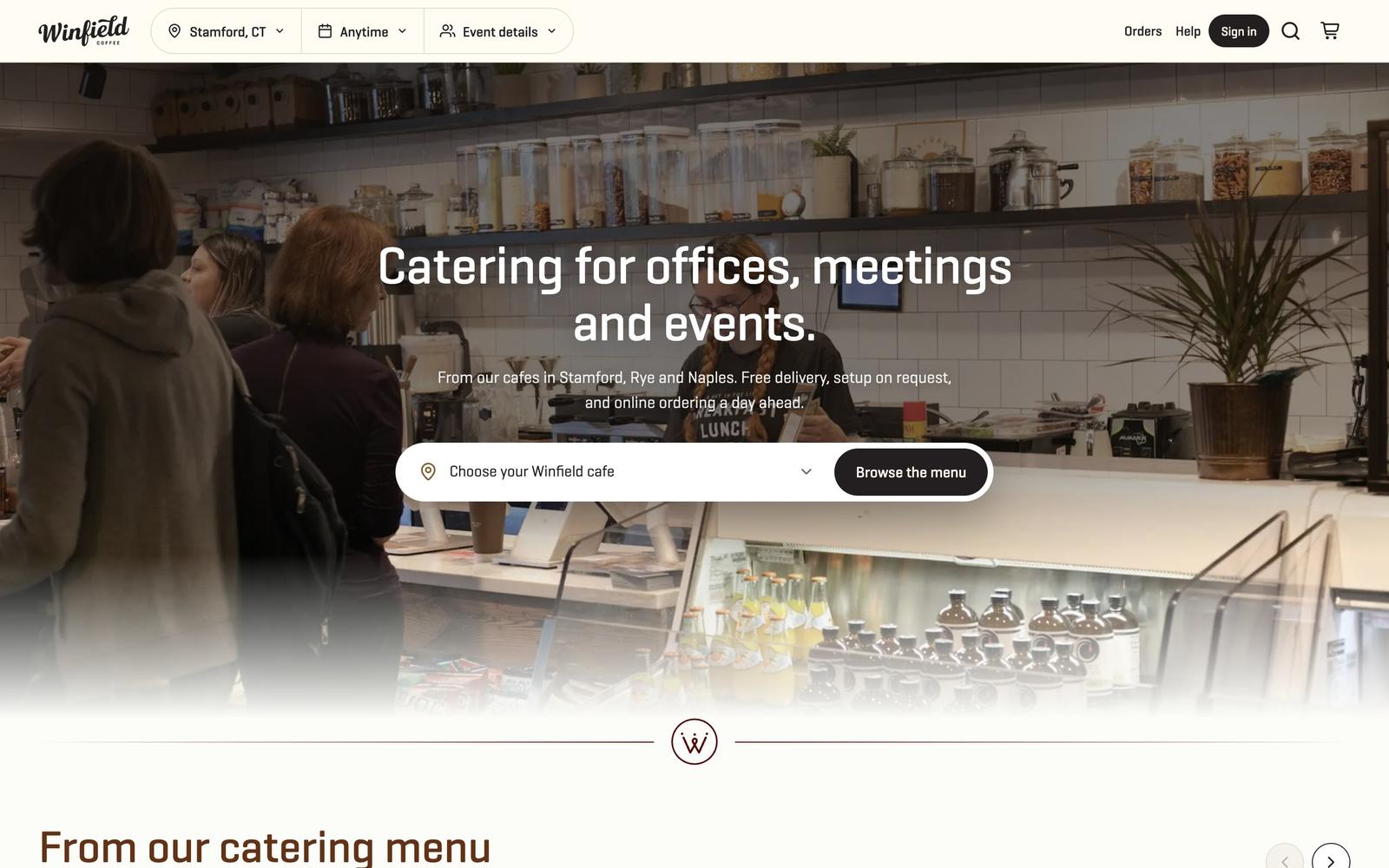
On the system we built for Winfield Street Coffee, the customer follows the real driver on a live map, and the manager sees the same driver on a map of the day’s deliveries.
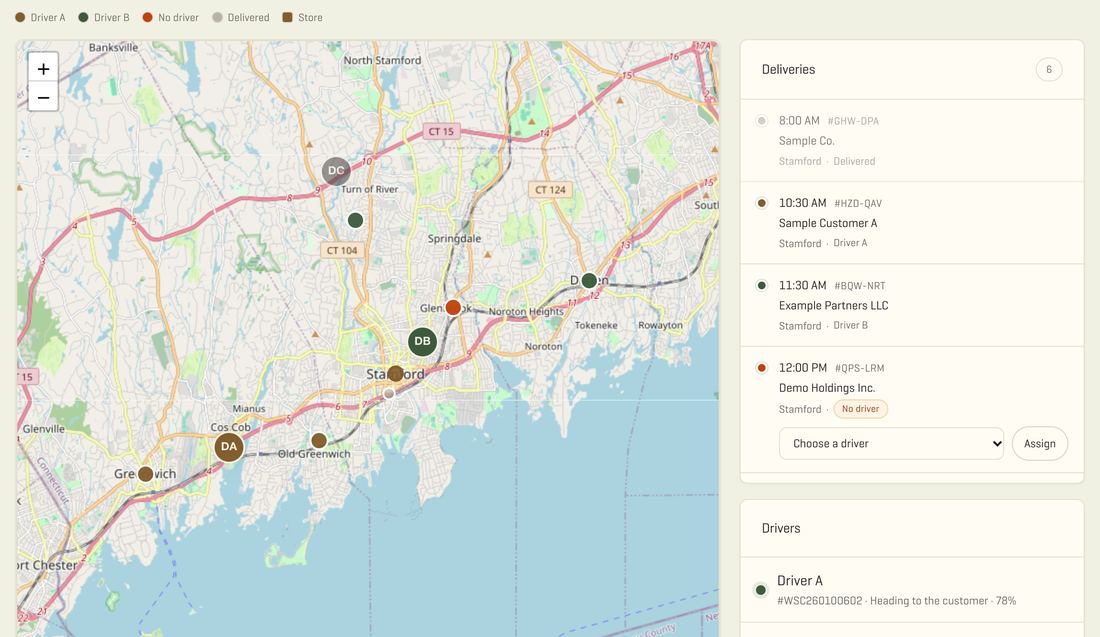
The manager’s side matters as much as the customer’s. When a buyer calls anyway, whoever picks up can see what the buyer sees, and can answer without asking the driver to pull over.
How do you get the link to the buyer?
Put it where the buyer already looks: the confirmation email and the order page in their account. A first-time buyer who checks out as a guest needs the same link in the email.
Keep the link in every update you send after that. A buyer who has to search their inbox for it will call instead.
What about orders that come through ezCater?
If you deliver ezCater orders with your own drivers, ezCater’s Delivery API page says restaurants running their own deliveries can send delivery updates from their own systems. We work with ezCater’s API, and on the Winfield system the driver’s progress goes back to ezCater as well.
How the order side works, including the Clover side, is in how to get ezCater orders into Clover. If you are still deciding whether to run your own drivers at all, start with own drivers or on-demand delivery.
What are the ways to give customers tracking?
Three setups cover most restaurants, from a reusable message to a link that updates itself.
| Option | What it takes | Where it falls short |
|---|---|---|
| A manager messages each buyer when the driver leaves | A phone and a message you reuse | Stops working on a busy day, when the manager is the one packing |
| A tracking link from a delivery service | Setup with the service and whatever it charges | The status lives in that tool, apart from your order system |
| Tracking inside your own order page | A catering site that knows each order, driver and stage | The ordering site and the driver tool have to be one system |
Before the busy weeks, even the first option beats a silent driver. Write one message with the arrival window and a phone number, and send it when the car leaves. If you deliver every week, move to a link that updates itself.
What makes a tracking page worse than none?
Four mistakes to avoid:
- A single arrival minute that is already wrong at the second stop.
- Internal labels like “dispatched” or “allocated” that the buyer has to decode.
- No person to call on the page.
- A stage that depends on someone remembering to tap a button, with no rule about who updates what. It will stay stuck on the busiest day.
What should you set up this week?
Holiday pre-orders and office parties put many deliveries into the same windows, which is when a silent driver costs the most. The posts on Thanksgiving pre-orders and the holiday office party checklist cover how to limit how many orders each window takes.
- Write your stages in plain words, from confirmed to delivered.
- Pick an arrival window you can hit, and show it at confirmation.
- Put the tracking link in the confirmation email and in every update after it.
- Add a phone number or email to the page that someone answers during delivery hours.
- Decide who updates each stage, then test it with one real order.
To see how the driver side works, the delivery driver app page shows the screens, with sample data.
Frequently asked questions
How early should a customer get the tracking link?
At confirmation. The early stages tell the buyer the order is confirmed and waiting for a driver, and the live position appears once the driver is on the road.
Is a live map necessary for catering orders?
Not at first. Clear stages and an arrival window answer most questions. In our view, the map earns its place in the last stretch, when the buyer is waiting for the car.
What should I do when a delivery runs late?
Change the arrival window on the page and tell the buyer yourself, with the new time and a person to call.
Can a customer who never made an account still see tracking?
Yes, if the link reaches their email at checkout. Tracking should not depend on having an account.
Sources
- ezCater, Delivery API · Sep 18, 2026
Comments