


Thanksgiving pre-orders for restaurants: how to take them online
How to take Thanksgiving pre-orders on your own site: a short menu, pickup windows, a cutoff, full payment and one list the kitchen can read.

Key takeaways
- Open Thanksgiving pre-orders this week, with a short menu, pickup windows, a hard cutoff and full payment at checkout.
- Set the limit for each pickup window at the lower of two numbers: what the kitchen can cook and what the counter can hand off.
- Keep every pre-order in one list sorted by pickup window, and mark any changed order so nobody cooks from the old ticket.
- In a 2025 Popmenu survey of 1,000 U.S. adults, 53% planned to order takeout or delivery from a restaurant for Thanksgiving dinner, up from 37% in 2024.
To take Thanksgiving pre-orders online, put a short holiday menu on your own ordering page, with pickup windows, a hard cutoff date and full payment at checkout. Send every order into one list sorted by pickup window, so Thursday morning starts with a single sheet and not a pile of emails, texts and call notes.
Thanksgiving is Thursday, November 26 this year. The plan below uses that date, so you can copy it into your calendar.
When should you open Thanksgiving pre-orders?
This week, if they are not open yet. The share of diners planning to order out has grown two years in a row.
Popmenu, which sells software to restaurants, surveyed 1,000 U.S. adults on November 16 and 17, 2025. According to FSR Magazine, 53% said they planned to order takeout or delivery from a restaurant for Thanksgiving dinner, up from 37% in 2024 and 32% in 2023. It is a vendor survey that asked about plans, and it is a year old. Read it as a direction. The direction is up.
The same article tells diners to order from the restaurant’s own website, pick a pickup time and skip third-party fees. That is the page you are about to build.
Here is a plan with dates.
| Dates | What to do |
|---|---|
| Mon, Nov 2 to Wed, Nov 4 | Write the menu, set the pickup windows and the cutoff, and open the page |
| Thu, Nov 5 and Fri, Nov 6 | Tell your regulars and last year’s catering customers by email, text and a sign at the counter |
| Mon, Nov 9 to Fri, Nov 13 | Watch which windows fill and close the full ones |
| Mon, Nov 16 | Send a last-call message to everyone who has not ordered |
| Sun, Nov 22 | Cutoff: the page stops taking orders |
| Mon, Nov 23 and Tue, Nov 24 | Count the orders, buy and prep, and print the pickup list by window |
| Wed, Nov 25 and Thu, Nov 26 | Pickup |
Work backward from your supplier. The cutoff has to land before the day you place your last food order, with a day to count.
What does a pre-order page need?
Seven things, and everything else is detail. Think of it as a small catering page: our guide on how to take catering orders online covers the full flow, and this is the holiday version.
| Piece | Why it matters |
|---|---|
| A short menu | We suggest ten items or fewer: three mains, four sides, two desserts and one bundle. A short list is easier to prep and to count |
| What each tray serves | “Serves 12” and the price per person let a guest size the order without calling you |
| Pickup windows | Fifteen or thirty minutes each, with a limit on how many orders each window can take |
| A hard cutoff | After it, the page says orders are closed, and the phone follows the same rule |
| Full payment at checkout | The order is confirmed when it is paid |
| A dietary note | One field for allergies and diets, printed on the kitchen ticket |
| A confirmation message | Pickup window, address, name on the order and reheating steps |
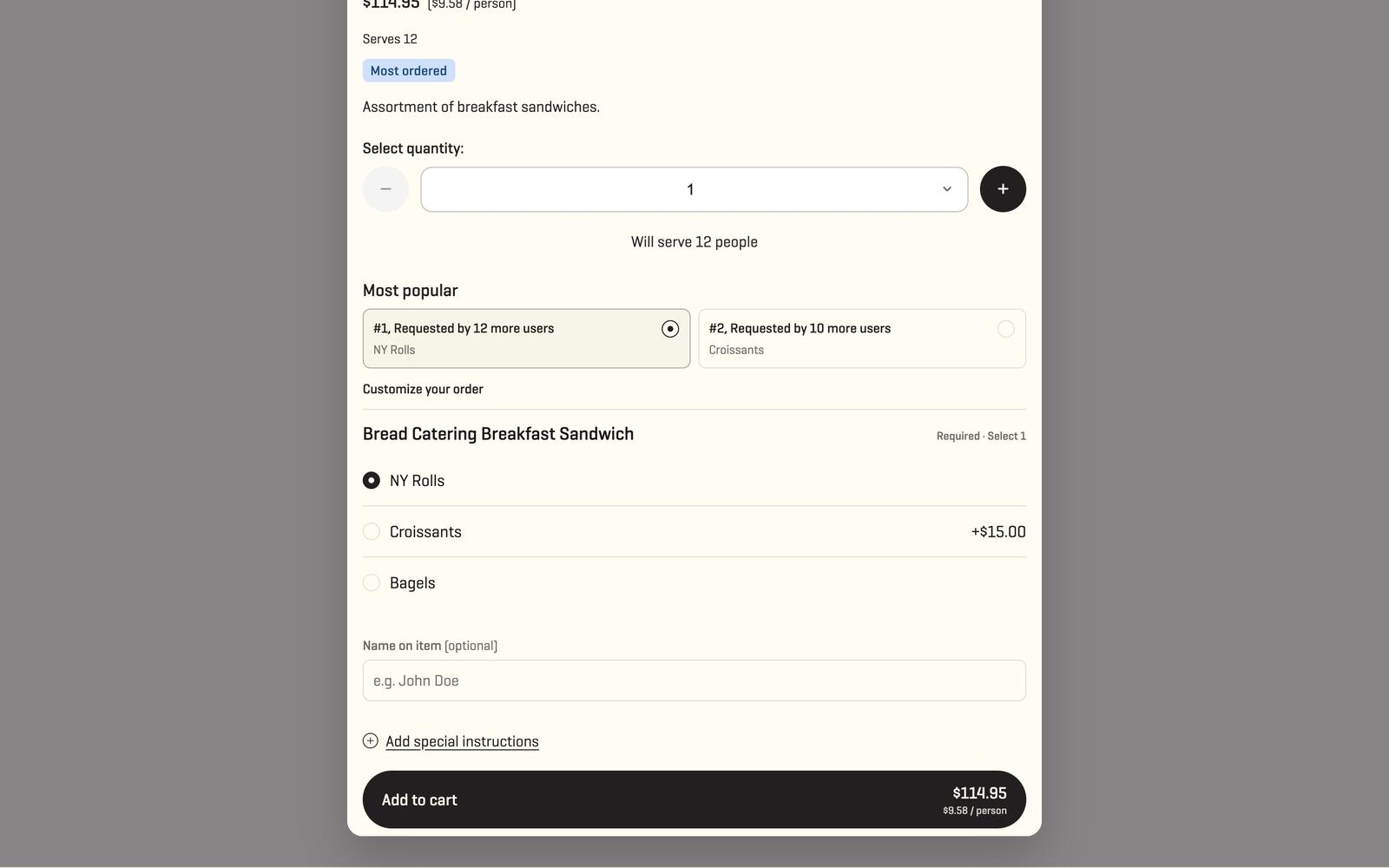
A guest who sees how many people a tray serves, and what it costs per person, can size the order without calling you. That is one fewer call during the rush.
How many orders can the kitchen take?
As many as the lower of two limits: what the kitchen can cook and what the counter can hand off.
Here is an example with made-up numbers, so do not read it as a benchmark. Wednesday pickup runs from 2 p.m. to 6 p.m. in 30-minute windows, which makes eight windows. The counter can hand off six orders per window, so the counter limit is 48 orders. The ovens can finish 40 dinners that day, so the cap is 40, or five orders per window.
Give each window its own limit on the page, so it stops selling a window when it fills. If your system cannot do that, cap the quantity of each item instead, for example 40 turkey dinners in total for Wednesday. Do the same count for Thursday morning.
Should guests pay in full or leave a deposit?
Charge the full price at checkout. A paid order is a confirmed order, while a deposit leaves a balance to chase on Tuesday night.
Put your refund rule on the page before the guest pays. An example, in our wording: “Full refund until seven days before pickup. Store credit from seven to three days before. No refund inside three days, but you can move your pickup window.” The guest reads it once, and the manager has one rule to point to. Have your lawyer or accountant read the final wording.
How do you keep every pre-order in one list?
Put orders from the site, the phone and the counter into the same list, sorted by pickup window. Thanksgiving morning rarely goes wrong in the cooking. It goes wrong on a sheet of paper taped to the pass, with twenty orders on it, three written down from phone calls and two with notes crossed out.
Whoever takes a phone order types it in with the same fields as the site: window, headcount, dietary note and payment. The manager then reads one list for the day, and the owner can see the total headcount across locations and decide how much to pull from the walk-in.
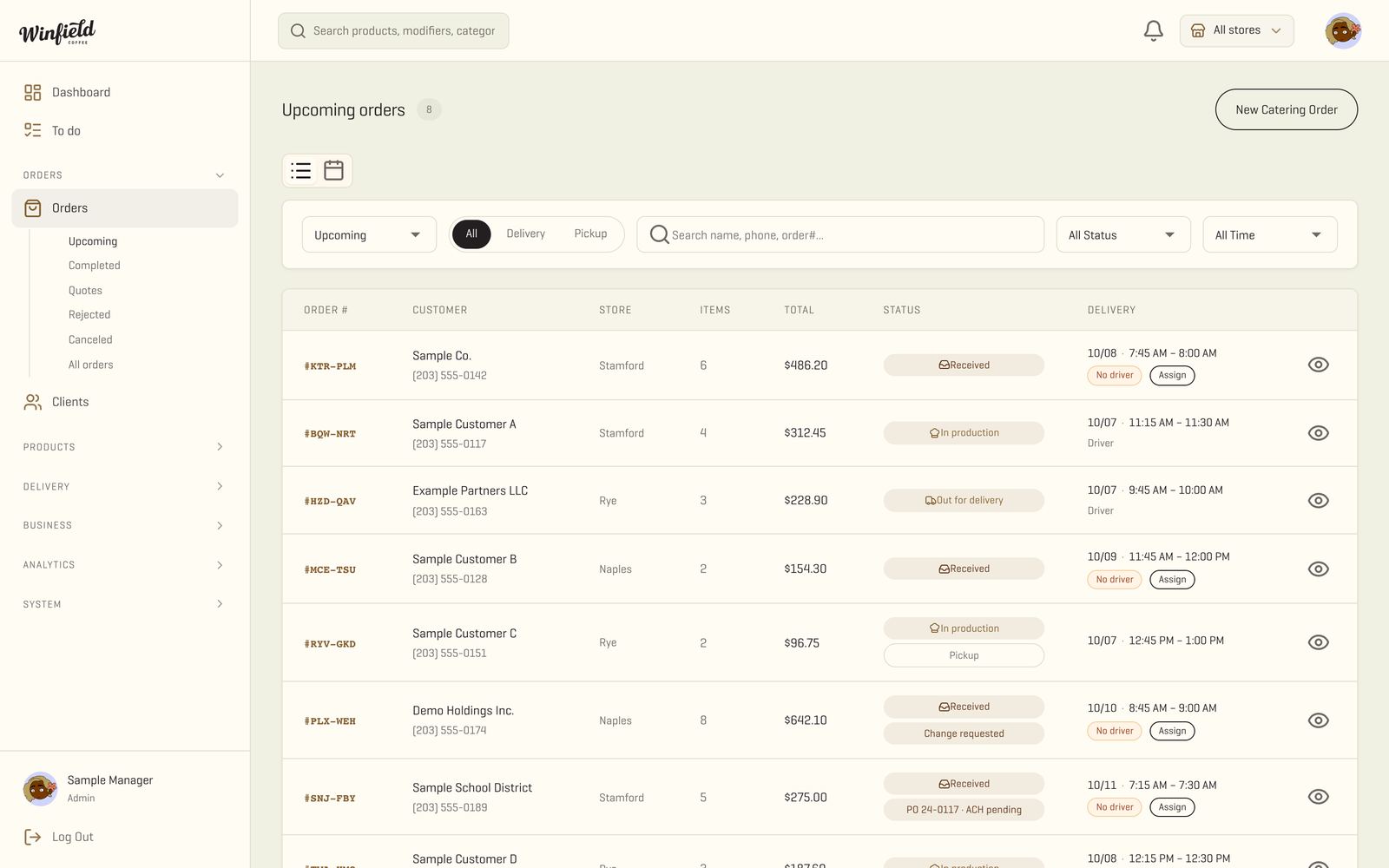
The screen above is the order list of a catering site we built. Orders from several stores sit in one list with status, store, total and delivery window, and one order carries a “Change requested” tag.
What if a guest changes the order?
Lock changes at the cutoff. After that, every change goes through the manager: the guest calls the store, the manager edits the order, and the kitchen cooks from the new ticket.
The danger is the old ticket. A changed order needs a visible mark in the list, like the “Change requested” tag in the screen above, so nobody cooks from the version that was printed yesterday.
What goes wrong on Thursday morning?
Four things, each with a cheap fix.
- A window nobody can hit. Fix: cap each window and close it when it is full.
- A change nobody saw. Fix: mark every changed order and reprint its ticket.
- The wrong person leaves with the wrong bag. Fix: put the guest’s name and the order number on the bag, ask for the name at the counter and close the order in the list when the bag leaves.
- A meal with no reheating steps. Fix: print them on the label and in the confirmation message.
If you also deliver on Wednesday, treat each driver run like a window and give it a limit. Our guide on own drivers or on-demand delivery covers the cost side. If offices order for holiday lunches too, corporate catering orders covers invoices and PO numbers.
Our take: Thanksgiving is the cheapest test of your own ordering page
Every order that comes through your own page arrives with a name, an email and a history you can use at Christmas, and no marketplace sits between you and the guest. One holiday menu shows you in a week whether your regulars will use it.
A new system started today may not be live before Thanksgiving, since ours go live in up to 30 days, so do not bet the holiday on a launch. For this year, run the pre-order on what you have: a simple form that collects the pickup window and takes payment, plus one spreadsheet sorted by window, is enough. Use what you learn to fix the flow, and plan the Christmas menu for the week after Thanksgiving.
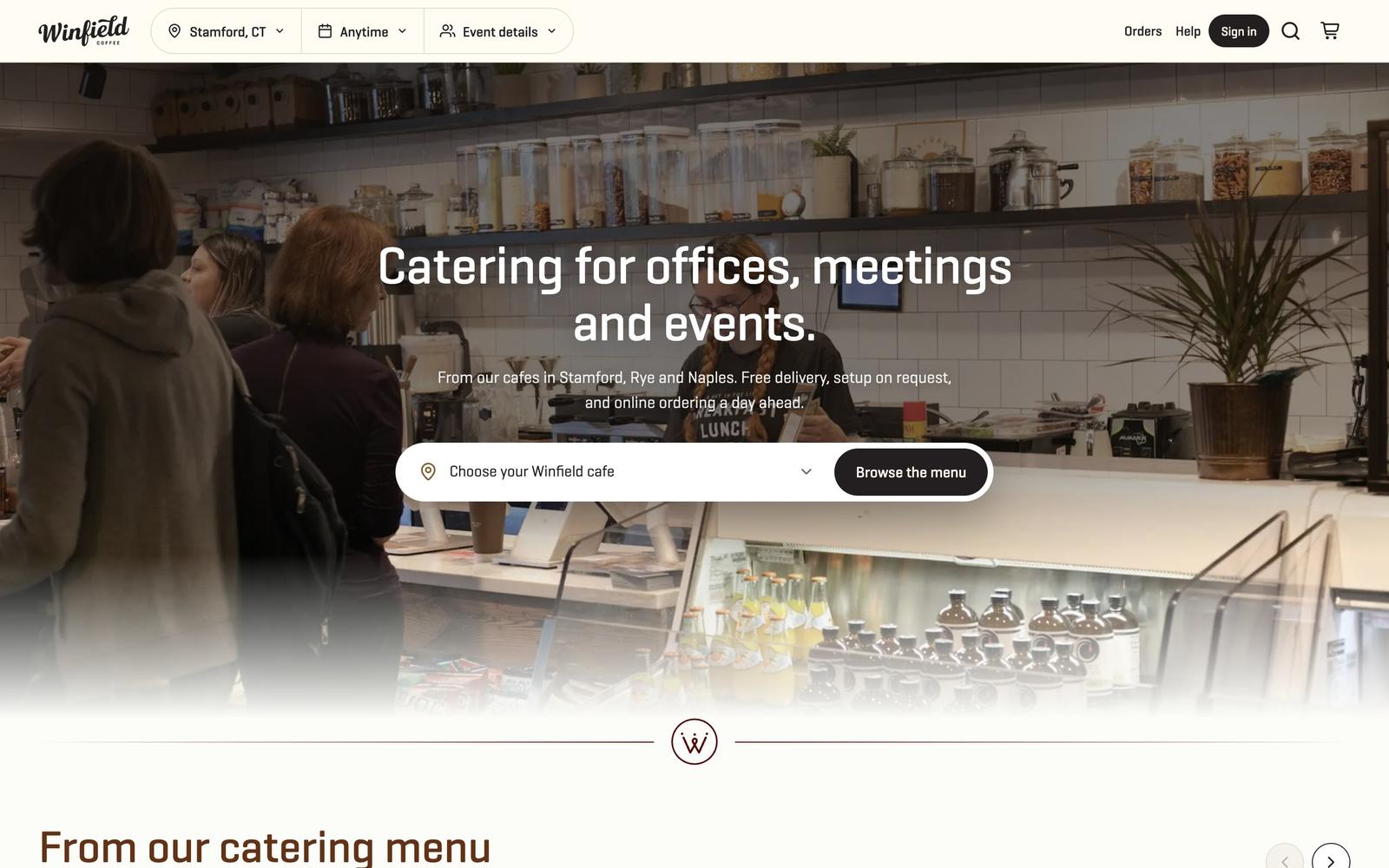
When you want that to run all year, that is the job of a catering ordering system. The guest picks the event date, the time and a delivery window, or pickup at the store, each location sets its own lead time, and card payments land in that store’s POS. Winfield Street Coffee runs its catering this way, with ezCater orders and orders from its own site in one dashboard, and no fee per order. If you want a second look at your flow before the Christmas menu, ask for a free assessment.
Frequently asked questions
How many items should a Thanksgiving pre-order menu have?
We suggest ten or fewer: three mains, four sides, two desserts and one bundle. A short list is faster to prep and easier to count.
What should I do when a pickup window sells out?
Close it. The page should stop selling a window the moment it is full, so the guest picks another time and nobody is promised a slot the kitchen cannot hit.
Do I need a separate menu for Christmas?
Yes. Give each holiday its own menu, cutoff and pickup windows, so orders for one holiday never land in the other's list.
What should go on the bag at pickup?
The guest's name, the pickup window, the order number, any allergy note and the reheating steps. Close the order in your list when the bag leaves.
Sources
- FSR Magazine, Popmenu survey on Thanksgiving 2025 · Nov 24, 2025
Comments