


How to get more corporate catering orders for your restaurant
Office buyers pick fast and reorder what worked. Here is where they find restaurants, what wins the first order and how to earn the second.

Key takeaways
- Office buyers choose fast, so the page that shows the per-person price, the notice needed and the delivery window has the edge on the first order.
- An ezCater article from May 2026 reports that 62% of employees who first try a restaurant at work go on to order from it in their personal lives.
- The first delivery is your sales call: on time, every item checked, your name on the tray.
- Marketplaces help new buyers find you, and your own ordering page is where a standing order can live.
To get more corporate catering orders, win the first one with a listing that answers the buyer’s questions before they ask, then let the delivery earn the second. An ezCater article from May 2026 reports that 62% of employees who first try a restaurant at work go on to order from it in their personal lives.
On many of the restaurant catering pages we review, the answers a buyer needs are missing or sit behind a phone call.
Who places a corporate catering order, and what do they need?
An office manager, an executive assistant or a team lead usually places the order, and the people who eat it never see the checkout. That buyer has a start time, a headcount, a budget per head and a group with mixed diets. If lunch is late, everyone remembers who booked it.
So the buyer looks for the restaurant least likely to cause a problem, and picks fast from what the page shows. A page that makes them call for a price asks for time they usually don’t have.
Where do office buyers find a new restaurant?
Buyers find restaurants in a few places: a catering marketplace, a Google search and a coworker’s recommendation. We found no public data on how those split, so treat them as a checklist with no order of importance.
Buyers are open to a new name. The same ezCater article says that in 2025, 96% of workplace orderers placed an order with a new-to-them restaurant. Each place needs something different from you:
- On a marketplace, a complete listing: photos of real trays, “serves 12”, the per-person price, the minimum order, the notice you need and your delivery radius.
- On Google, a current business profile that mentions catering, links to your catering page and shows photos of the food as it is delivered.
- On your own site, a catering page you can reach from the home page, with trays and per-person prices listed. “Call for a quote” sends the buyer to the next tab.
- Through people, a short personal note to the office manager at offices near you, with a one-page menu and how to order. Name a person, because a general inbox is easy to ignore.
What wins the first order?
The first order goes to the page that answers the buyer’s worries before they ask. Each worry has a simple answer to put on the page.
| The buyer wonders | What your page should show |
|---|---|
| How much per person? | The tray total with the per-person price next to it, and how many people it serves |
| Will it arrive on time? | A drop-off window and a tracking link for the day |
| Can I feed a mixed group? | Labeled dietary options and a box for allergy notes |
| Do I have to call someone? | Checkout with a card or an invoice, with no callback |
| Who do I reach if something goes wrong? | A phone number and a field for the on-site contact |
| How much notice do you need? | The lead time, shown before the cart and not at checkout |
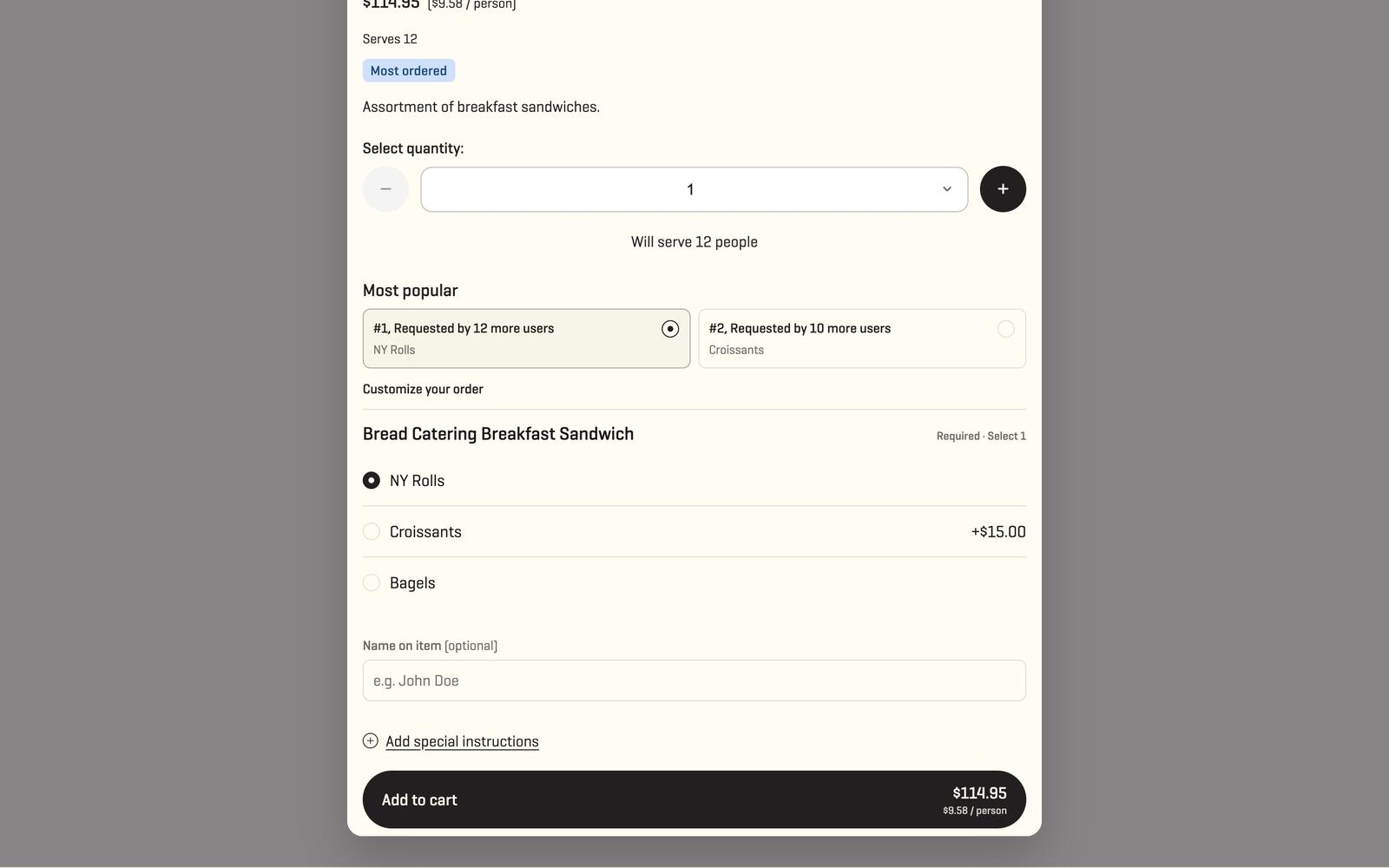
The per-person price does the most work here. The buyer is dividing a budget by a headcount, and your page can do that division first. If your site cannot take a catering order yet, start with how to take catering orders online.
Our take: give a first-time office one simple package, such as a fixed per-person price for a group of 10 to 20 with two or three choices. A package is easier to approve than a blank menu, and the buyer can forward it to whoever signs off.
How does the first delivery earn the second order?
By arriving on time with everything that was ordered. The delivery is the one part of the order the whole office sees.
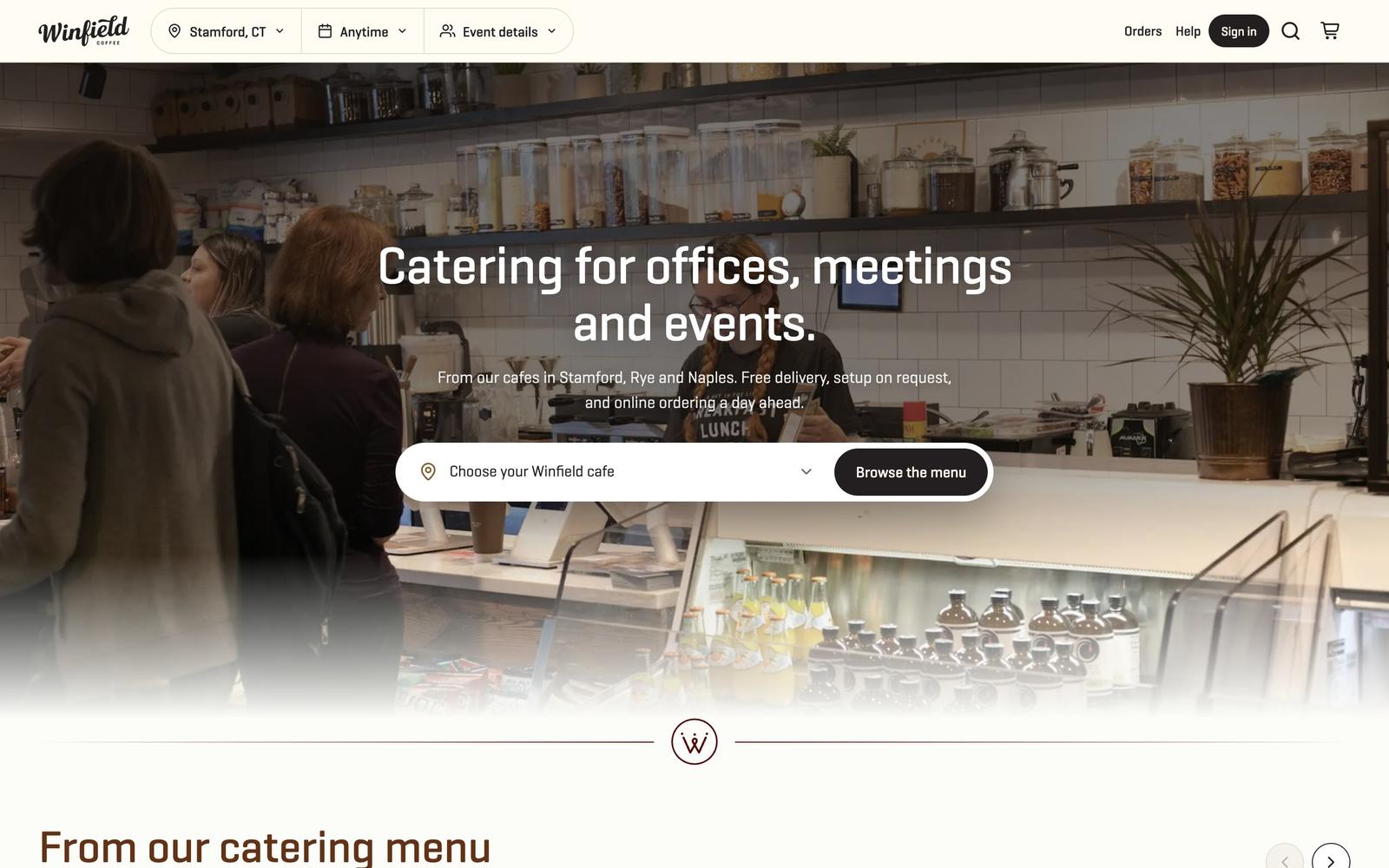
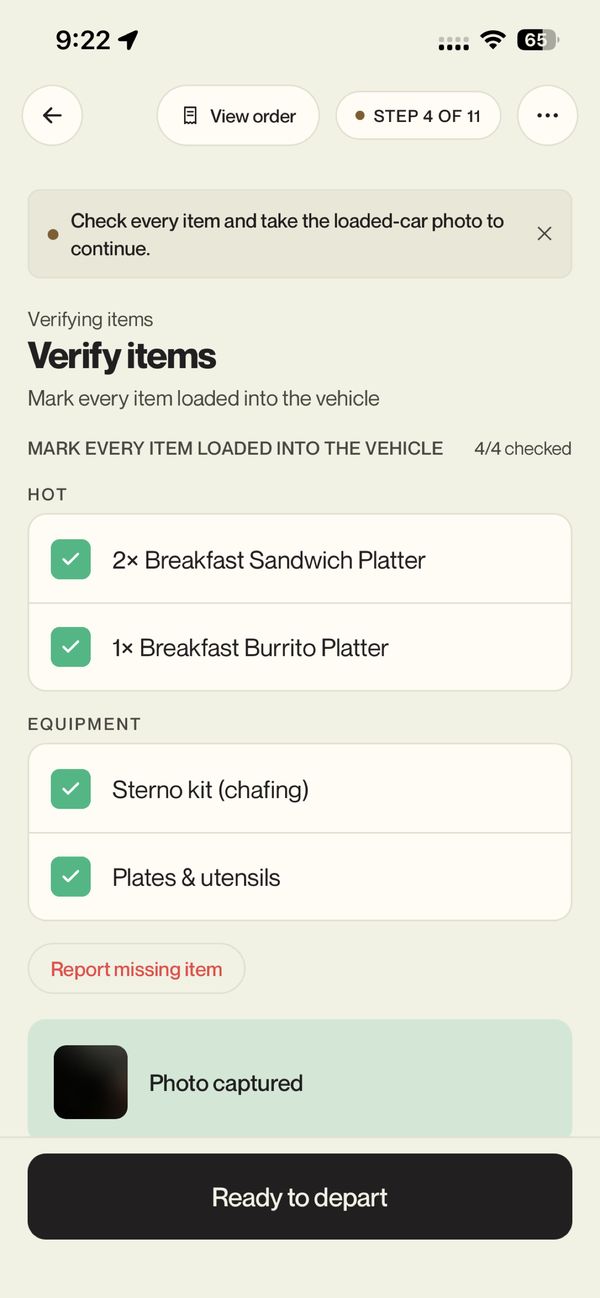
The failures people remember are often small: missing utensils, a tray left in the car, an allergy note that never reached the kitchen. The driver app we built for Winfield Street Coffee won’t let a driver leave until every item is checked off and the loaded car is photographed. That rule exists for the trip back for forgotten utensils.
Then give the people eating a reason to remember you. Put your name on the tray lids and label the food, so the person who liked lunch can find you afterward. On orders that came through your own channels, add a small card with your menu link and how to order for their own table, written for the person eating, since the buyer already knows who you are.
The same ezCater article says 67% of employees recommended a restaurant to friends and family after having it at work, next to the 62% who went on to order from it themselves. The article gives no sample size, so treat the figures as a signal. Our reading: the buyer orders for the office, and the eaters order for their own weekends.
If the order came through a marketplace, check what its agreement allows before you add inserts or contact the buyer. Some limit how you may use customer details from their orders.
How do you turn one office into a standing order?
Ask about the next date while the first lunch is still fresh. Many offices eat together on a fixed day, and a weekly lunch is easier to prep and staff than a scatter of one-off orders.
Then make the repeat easy for the buyer. Reorders, purchase order numbers and invoices are covered in our guide to corporate catering orders, invoices and reorders. If a buyer starts an order and stops, here is how to follow up before the event date takes it away.
What can you do this week?
- Open your marketplace listing and add the per-person price, the minimum order and the notice you need.
- Check your Google business profile for a catering mention, a link to your catering page and photos of delivered trays.
- Write one package for a first order of 10 to 20 people and put it on your catering page.
- Put your name on every tray lid, and add a card with your menu link to orders that came through your own channels.
- Pick five offices inside your delivery radius and send a short note to whoever orders their lunch.
Our take: use the marketplace to be found and your own page to be kept
A marketplace is a good place to be found by an office that has never heard of you. Your own page and account are where a standing order is easiest to keep. Most restaurants need both, and the job is to make the second one as easy to use as the first.
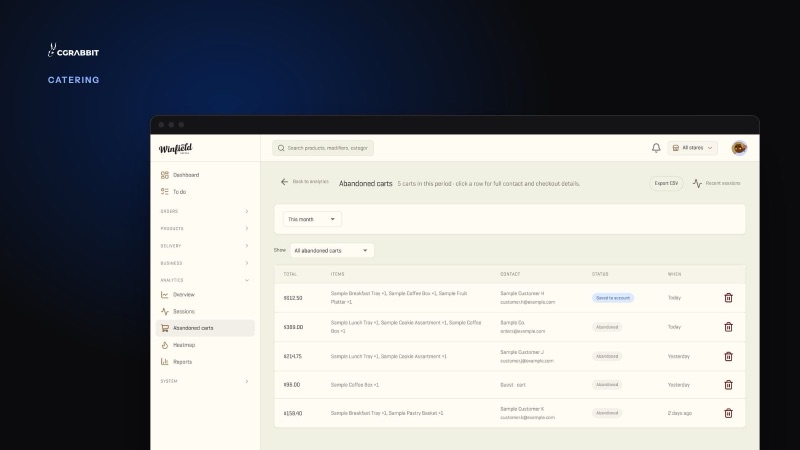
We built Winfield Street Coffee a catering ordering site of its own, and every card payment goes straight into that store’s Clover. We work with ezCater’s API, so an ezCater order and a direct order land in the same dashboard, where a manager assigns a driver and tracks the delivery. The system is built for them to own, with no per-order fees. For a restaurant chasing office orders, that means the first order and the fifth go through the same screens, whichever door the buyer came through. Here is the Winfield Street Coffee case, the full system with real screens and how a catering ordering system is set up.
Frequently asked questions
Should I set a minimum order for corporate catering?
Yes, and show it before the cart. Base it on what the prep and the delivery trip cost you at each location, so a small order never costs more to fill than it earns.
What should my first offer to a new office look like?
One package: a fixed per-person price for a group of 10 to 20, with two or three choices. It is easy to approve and easy to forward.
Can I use the details from a marketplace order to market to the buyer?
Check what your marketplace agreement allows before you contact the buyer or add inserts to a marketplace delivery. Your own site, your Google profile and your name on the tray lid don't depend on marketplace customer details.
Who should I send my catering menu to at a company?
The person who orders lunch, usually an office manager or an executive assistant. Send one page with trays, per-person prices, the notice you need and how to order.
Sources
Comments