


Delivery apps keep changing hands: what a restaurant should own in its ordering tech
Delivery platforms get sold, resold and shopped around. Here are 7 things a restaurant should own, with a one-afternoon test for each.

Key takeaways
- A restaurant should own seven things in its ordering system: its web address, ordering page, customer list, order history, menu data, the account its card payments land in and its delivery records.
- Owning your setup does not mean building it yourself. A vendor can run it, as long as the accounts are in your name and you can download your data and move.
- Marketplaces, card networks and hosting can stay rented if you know the cost when your orders double and you can leave with your data.
- Reports about a Grubhub sale flipped in four days: the Wall Street Journal said on Nov. 20 that Wonder was exploring one, and Reuters said on Nov. 24 that it is not pursuing one. No deal has been announced.
A restaurant should own seven things in its ordering system: its web address, its ordering page, its customer list, its order history, its menu data, the account where its card payments land and its delivery records. Everything else can be rented, as long as you could walk away from it in one afternoon with your data in hand.
Why talk about ownership when nothing has changed in my restaurant?
Because the companies behind delivery and catering platforms change hands often, and restaurants do not get a vote. This week’s Grubhub reports show how quickly the story can turn.
Nation’s Restaurant News reported on Nov. 23, citing The Wall Street Journal, that Wonder was exploring a sale of Grubhub and that bankers had contacted Walmart, Target, Kroger and other retailers. Reuters placed the Journal’s report on Friday, Nov. 20. We read the NRN and Reuters stories, not the paywalled original.
On Nov. 24, Reuters, citing The Information, reported the reverse: Wonder is not pursuing a sale after preliminary talks with Amazon and Walmart, and it could change course if an attractive offer emerges. No deal has been announced, and Wonder had not responded to either outlet’s request for comment.
We are not predicting what any owner would do with restaurant terms, because none have been published. The sales that did happen are easier to count. In September, Grubhub’s campus dining business went to DoorDash for $300 million, according to NRN. Uber announced on Oct. 6 that it would buy ezCater, and DoorDash agreed on Oct. 29 to acquire Instacart, a deal we covered in our Oct. 30 post.
The rumors matter less than what they remind you of. Part of your ordering setup is rented, and the landlord can change without asking you. Your job is to know which part.
What should a restaurant own in its ordering setup?
Seven things. Each has a one-afternoon test, so you check instead of guessing.
| What you own | What it means | The one-afternoon test |
|---|---|---|
| 1. Your web address | The name customers type and Google remembers, registered in your name | Find out which account holds it. If it belongs to a designer or a vendor, ask them to move it into an account you control |
| 2. Your ordering page | A page on your own address with your name on it. A listing inside someone’s app does not count | Imagine your vendor closes on Monday. Could the same address show a different ordering page by Tuesday? |
| 3. Your customer list | Names, emails and phone numbers of the people who ordered from your own site | Download it as a spreadsheet today, with the date of each customer’s last order |
| 4. Your order history | Every order by channel, with items, totals and dates | Pull the last 12 months into one file, marketplace orders included as far as your agreement allows |
| 5. Your menu data | Items, prices, options and photos in one master copy | Could you paste your full menu into a new system without retyping it? |
| 6. The account your card payments land in | Payments going straight into your own POS or payment account | For one week, mark which orders paid into your account and which came as a payout from someone else |
| 7. Your delivery records | Photos, signatures and time stamps for each delivery | Find the proof for one delivery from last month in under two minutes |
Customer details from marketplace orders follow your marketplace agreement. Check what it allows before you count those customers as yours. Delivery records get their own post in proof of delivery for restaurants.
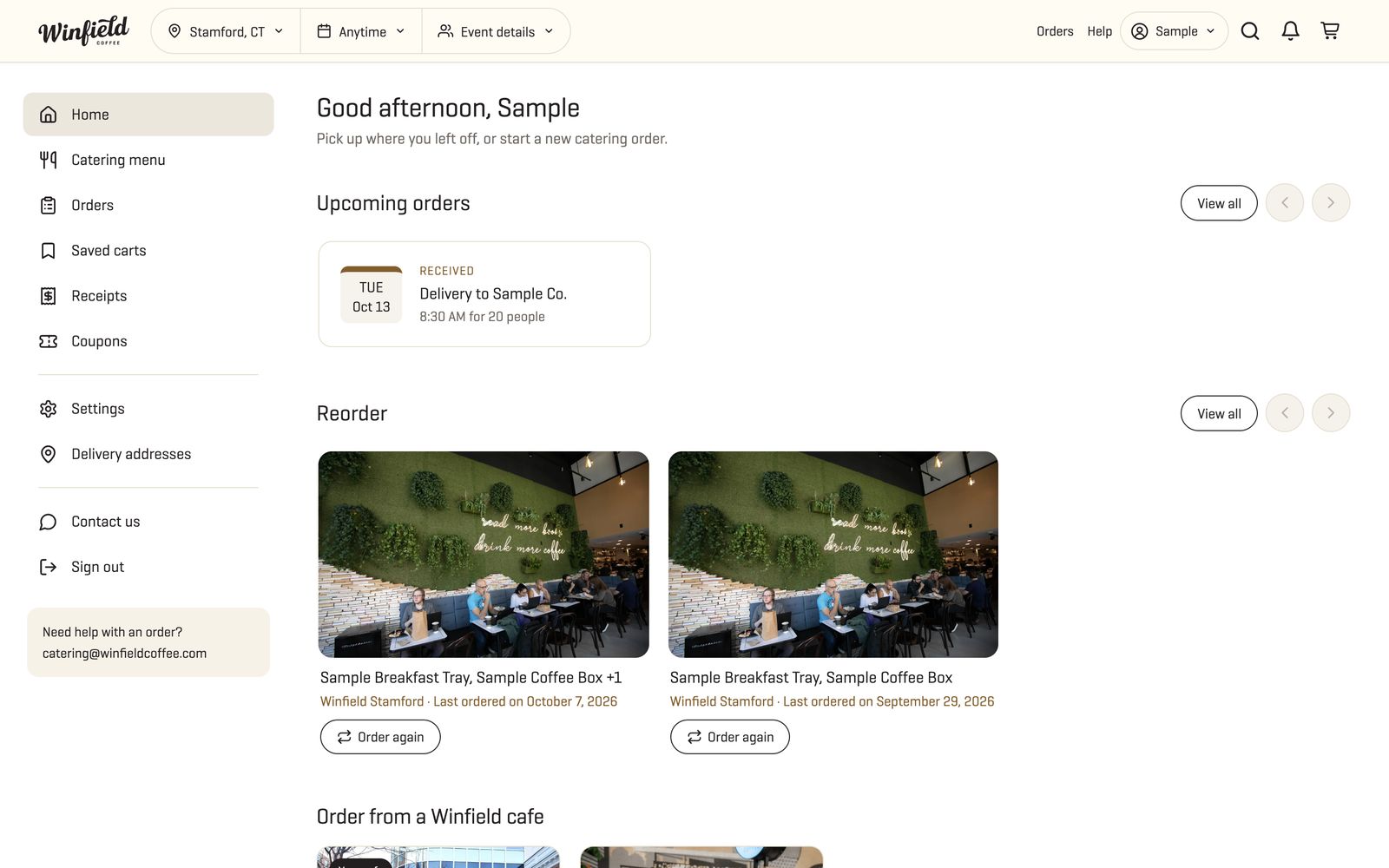
That Order again button is what ownership looks like to a customer. It only works if the order history behind it sits in your own system.
What can a restaurant safely rent?
Plenty. Marketplace reach, the card networks that move the money, hosting and tablets can all be rented. A marketplace is still a fast way for a stranger to find you.
Keep it for new customers and send repeat customers to your own page, as our post on commission-free online ordering explains.
Renting is fine in two cases: you know what it costs if your orders double, and you can leave with your data. If either is missing, treat it as a risk and put it on your list.
Does owning it mean building it myself?
No. A vendor can build, host and run your ordering site, and you still own it. You pay for the work.
Ownership shows up on the day you want to leave. If the web address and the payment account are in your name, you can take the files and go. An ordering page with your name on it can be run by someone else and still be yours.
What should you ask a vendor before you sign?
Five questions. They apply to any ordering vendor, including us.
- Whose name is on the web address and the payment account?
- Can I download my customers, orders and menu as files, and does it cost anything?
- If I cancel, what happens to my page and my data, and how long do you keep it?
- If your company is sold, do my terms change, and how much notice do I get?
- What do I pay if my orders double?
Get the answers in writing. An answer you only heard on a call is hard to use later.
How do I run the check this week?
- Block an afternoon and make a one-page sheet with the seven rows from the table.
- Mark each row as owned, rented or don’t know.
- Run the test on every row you marked owned. Some will turn into don’t know.
- Send each don’t know and each rented row to your vendor as a question.
Put the sheet where your manager can find it. The person who set up your ordering may not be the person who is there next year.
Own what you cannot rebuild in a week
Our take: a rented piece is fine until the day you have to replace it. The seven items above are the ones you cannot rebuild in a week, because they hold your customers and your history. You can build a new ordering page again, but not a customer list you never saved.
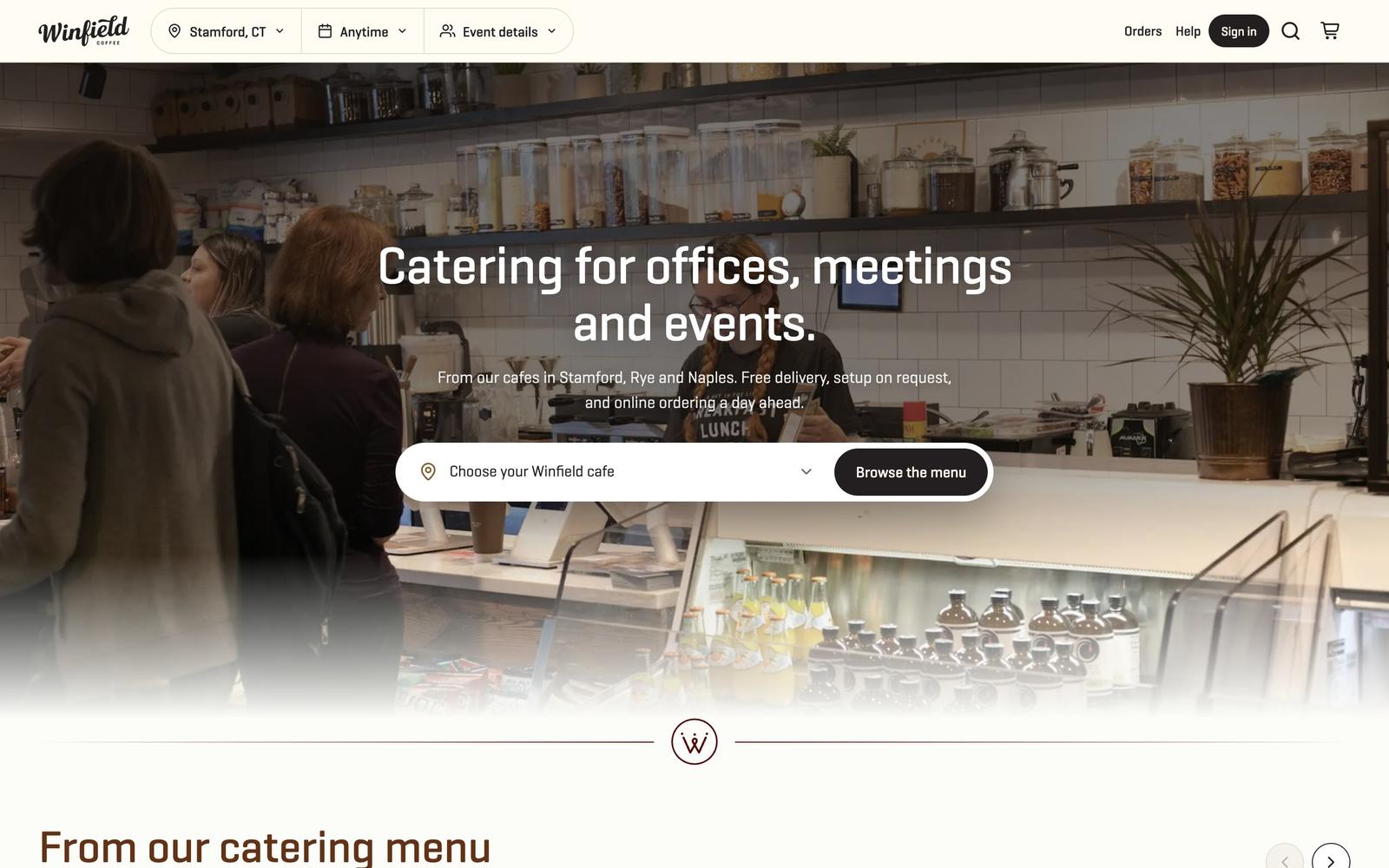
That is how we build ordering sites at CGRabbit: the customer list stays with the restaurant and there is no lock-in, as our FAQ says. On the site we built for Winfield Street Coffee, payment goes straight into the POS of the store that fills the order (row 6 above).
Frequently asked questions
How do I check who owns my web address?
Look in the account of the company where it was bought, or ask your designer which account holds it. If the account is theirs, ask them to move the address into one in your name.
What should happen to my data if I cancel my ordering software?
You should be able to download your customers, orders and menu as files before you cancel, and the contract should say how long the vendor keeps your data afterward. Ask before you sign, while you can still choose another vendor.
How often should I test my exports?
Once a quarter. Download the customer list, the last 12 months of orders and the menu, and open each file. A backup you have never opened is a guess.
Who fixes problems if I own my ordering setup?
Whoever runs it for you. Ownership covers the accounts and the data, and the vendor still keeps the site running. Put those support terms in the contract.
Sources
- Nation's Restaurant News (Restaurant Business), Wonder is reportedly exploring a sale of Grubhub · Nov 23, 2026
- Reuters via 104.9 The Wolf, Wonder not pursuing Grubhub sale, The Information says · Nov 24, 2026
- Fast Casual, First ezCater, now Instacart? Delivery's consolidation wave keeps rolling · Oct 27, 2026
- DoorDash and Instacart, press release "DoorDash to Acquire Instacart to Help Local Stores Win" (SEC Form 8-K, Exhibit 99.1) · Oct 29, 2026
Comments